5.4.3 Import stills

Location

ShowFile Management > Import All Still Images

Required parts

8GB+ USB stick formatted in FAT32.

How to import
  1. Store all desired stills in a folder ‘em\stills\import’ on the USB stick.
  2. Insert the USB stick in the desired port:
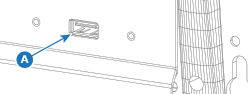
    • ‘USB-A’ port (reference A) at the front.
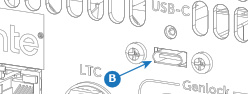
    • ‘USB-C’ port (reference B) at the back.
    Image 5–29
    Image 5–30

    All detected stills are shown on the detected stills list (reference 2, Image 5–31).

  3. Tap on Import All Files (reference 1) to copy the stills to the Encore3 memory.
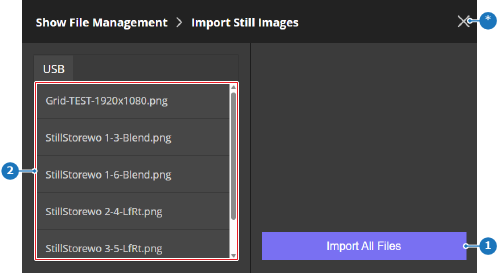
    Image 5–31
    1
    Import button
    2
    Detected still list
    *
    Close button

    Importing may take several minutes, depending on the amount and size of the stills. A confirmation label is shown when importing has been completed.

  4. Remove the USB stick.