2.5.4 EC-210

Note: The EC-210 requires Event Master Toolset 10.1 or higher to function.
Overview

The EC-210 controller is both a controller and an independent Event Master Toolset device. The internal hardware is capable of running Event Master Toolset on its two built-in touch screens and/or a connected external display. The programmable buttons, knobs and T-bar allow for most actions possible within the Event Master Toolset user interface.
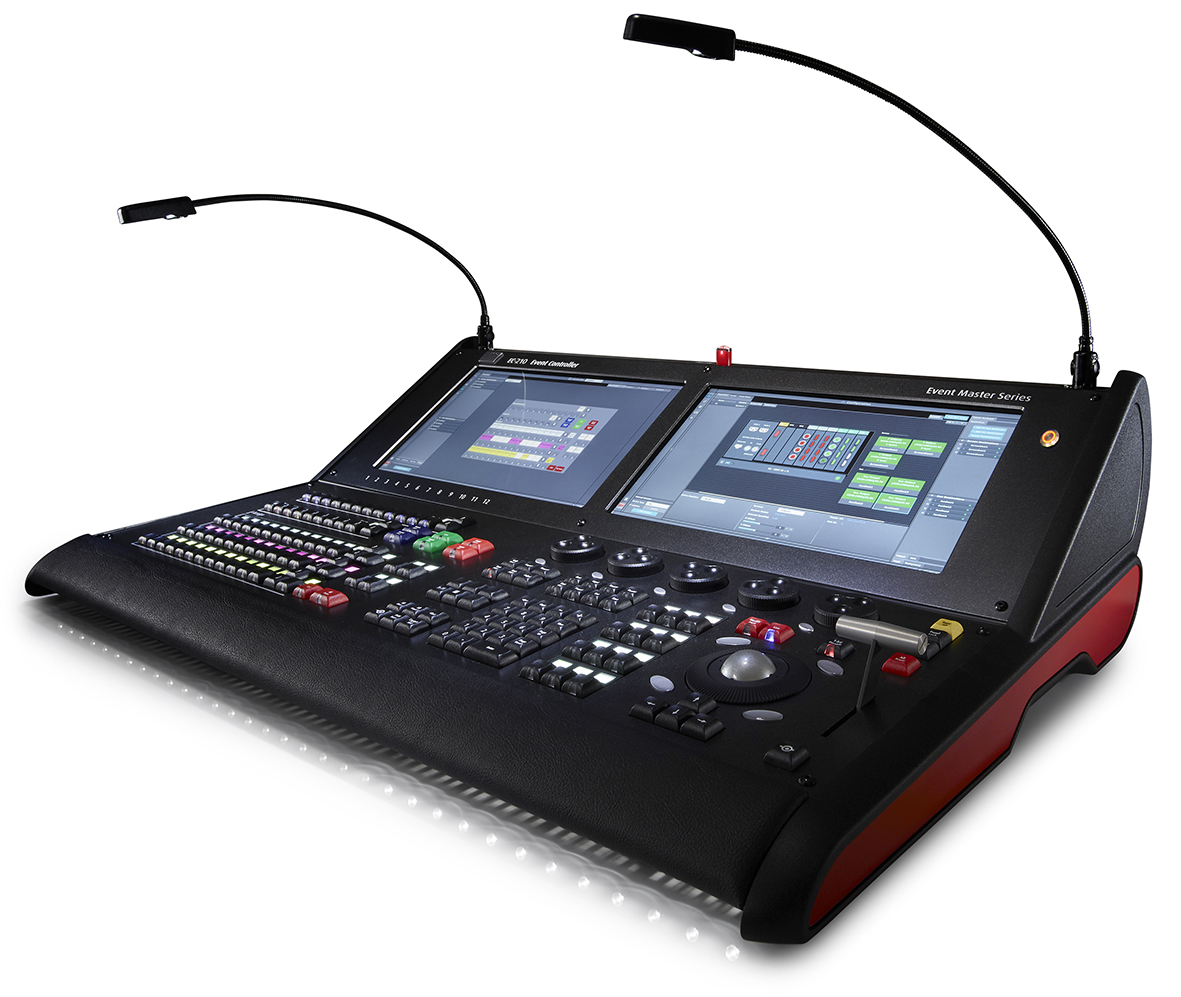
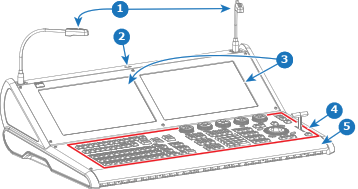
Image 2–21
Components

Front view:

Image 2–22
1
Flexible lights
2
USB-A port
3
Touch screens
4
Button area
5
Arm rest

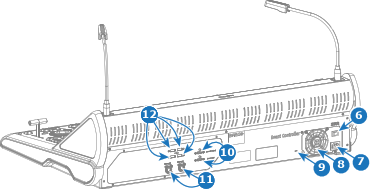
Back view:

Image 2–23
6
Power switch
7
Power port
8
Power supply fan
9
Kensington™ lock
10
HDMI™ out port
11
HDMI™ in port
12
2x LAN port
13
4x USB-A port
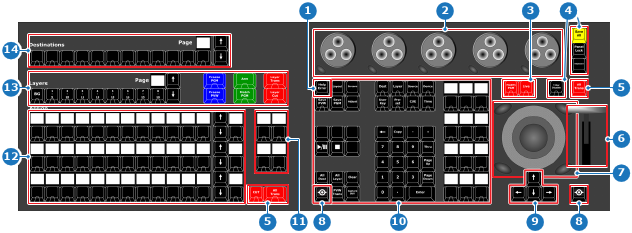
Button layout
Tip: For more information about the functionality of each button, see “Using Event Master controllers”.
Image 2–24
1
Help/Error button
2
Rotary encoders
3
Live production buttons
4

Controller settings buttons

(two locations)

5
Transition buttons (two locations)
6
T-bar
7
Navigation area
8
Barco eye (two locations)
9
Arrow buttons
10
Action buttons
11
Custom buttons
12
3 rows assign buttons
13
Layer buttons
14
Screen destination buttons