Availability
- Models: EC-210
- Count: 5 knobs and 5 buttons

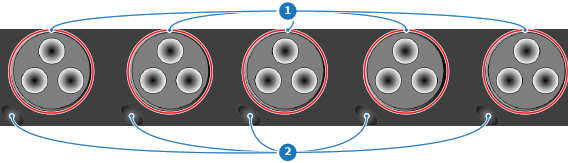
The selected layers must be unlocked before the rotary encoders can affect them.
By default, the rotary knobs affect the selected layers in increments per position. The direction of the rotation defines whether the increment is additive, turning to the right, or subtractive, turning to the left. Depressing the button closest to the rotary knob switches the incremental modification to a pixel modification.
