5.6.3 Factory reset

Location

Reset > Factory Reset

About factory reset

All Encore3 settings, including the IP address, will be reverted to the factory default. A full configuration of the Encore3 is required after this reset.

How to reset
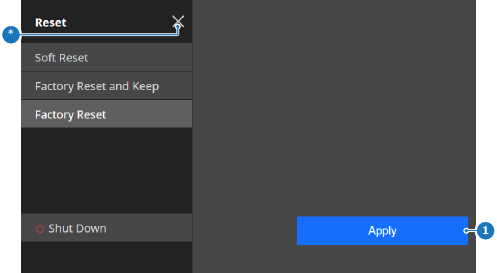
  1. Tap Apply (reference 1).

    Tip: If any modification to the IP address was made, then remote access to the unit will be lost after the reset.
    Image 5–40
    1
    Apply button
    *
    Close button

    A confirmation pop-up is shown.

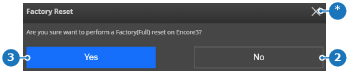
  2. Tap Yes (reference 3) to factory reset.

    Image 5–41
    2
    Cancel button
    3
    Confirm button
    *
    Close button

    The Encore3 restarts with all modifications removed.