Location
- Navigation side bar:
- Left panel:

The image must be in ‘.png’ format to be used as a still.
Click the plus icon ( ) at the bottom of the left panel (reference 1).
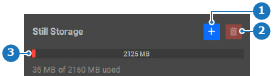
A pop-up window is shown.
Navigate to the location of the images and click open.

Wait until the images have been uploaded.
The images are added to the sources list under .
 ) in the header.