Location and availability
- Menu: >
- Access level: Administrator, service
- Models: all
- Requirements: Pulse 2.7 or later

It is the responsibility of the owner of the Pulse-powered projector that the login settings of the projector are compliant with local data protection laws and regulations. For this reason, the following system-wide settings are made available
In the settings menu, click .

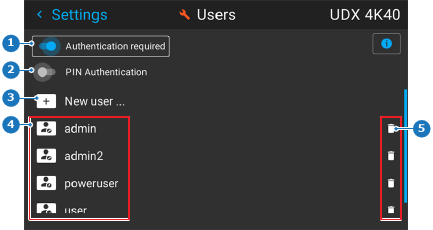
The Users menu will be displayed.