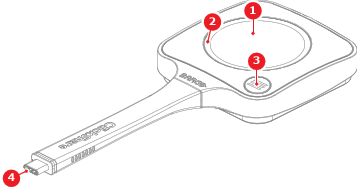
5th gen Button LEDs
There is an LED ring around the share button and an LED in the ClickShare App button. The color and animation of the LEDs shows the current state of the Button. For more information on the possible states, see the following tables:
| LED share ring state | Meaning |
| White fill | Setting up the connection |
| Steady white | Connected and ready to be used |
| Fast spinning white | Near connection timeout |
| Steady red | Sharing |
| Blinking red | Error |
| Steady green | Button pairing successful |
| LED ClickShare App state | Meaning |
| Steady white | ClickShare App ready to use or in use |
| Off | ClickShare App disabled or not allowed |