Location & availability
- Menu: > > >
- Access level: all

Text size adjusts the size of the text, the user interface elements, menus and the size of the icons.
Tap the desired size after (reference 3).
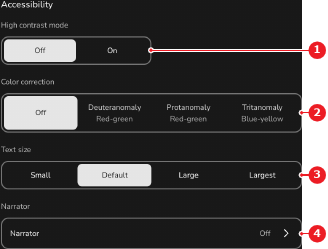
The selected option has a white background and the user interface across the entire interface is resized.