Location & availability
- Menu: > > >
- Access level: all

Menu items across the ClickShare settings app are white letters on black backgrounds or black letters on white backgrounds. This can be difficult to read depending on the room situation and the user. High contrast mode will increase the clarity between what is the background and what is the actual text. Making it easier to find and read the text.
Tap the desired mode after (reference 1).
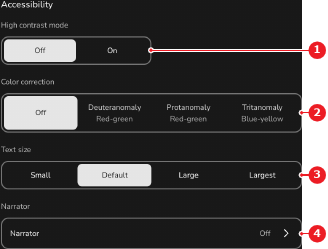
The selected option has a white background and the text across the entire interface is changed.