关于配对
Button 必须与 Base Unit 配对才能工作。未配对的 Button 将无法共享内容或连接到 ClickShare。


Button 必须与 Base Unit 配对才能工作。未配对的 Button 将无法共享内容或连接到 ClickShare。
必须先唤醒 Base Unit,才能与 Button 配对。有关更多信息,请参见“唤醒 Base Unit”。
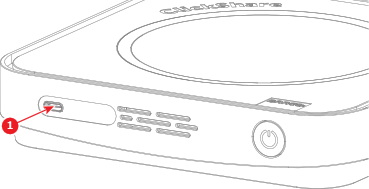
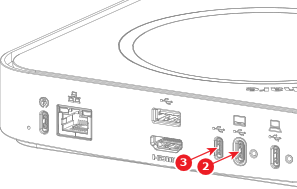
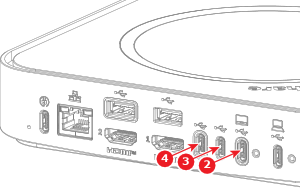
将 Button 连接到 Base Unit 的任何可用 ‘USB-C’ 端口(参考 1 至 4)。

从 Base Unit 中拆下 Button。
Button 即已准备好使用。