Location & availability
- Menu: > > >
- Access level: all

Color correction will adjust how colors are displayed on the connected screens. This color correction will make certain images more visible to colorblind users or displays that have a bad color representation.
Tap the desired color correction after (reference 2).
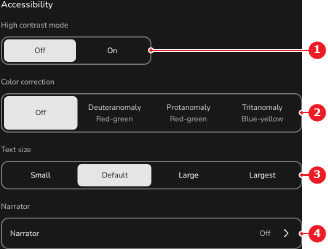
The selected option has a white background and the colors across the entire ClickShare system are adjusted.