Location & availability
- Menu: > > >
- Access level: admin

The chosen language dictates the language of the text in the user interface of the Control Panel. The language of meetings or other connected devices is not changed.
Select the desired language from the drop down after (reference 1).
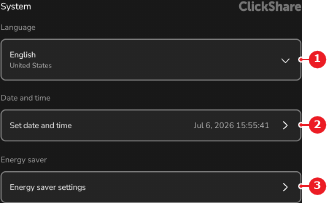
The text is changed to the selected language and the label in the menu is updated to the selected language and region.