Location & availability
- Menu: > > >
- Access level: admin

Resetting restores some or all settings to their factory default. Any configuration or change done by the user that is removed during the reset can not be restored. There are three types of reset:
Select the desired information that must be reset after (reference 1).
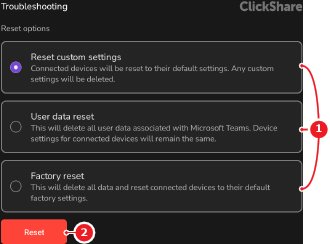
Tap (reference 2, Image 7–40).
A confirmation pop-up is shown.
Can the selected information be permanently deleted?
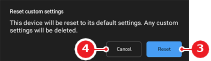
The selected information is permanently deleted and the ClickShare system restarts.