Location & availability
- Menu: > > > >
- Access level: admin

A Bluetooth name or Bluetooth ID is how a device shows up in a list of nearby devices. Clear names help identify which device is which.
Bluetooth must be on before the Base Unit Bluetooth name can be changed. For more information, see “Bluetooth functionality”.
Tap on the current name of the Base Unit (reference 1).
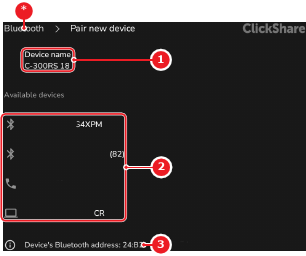
A pop-up is shown
Enter the desired name in the pop-up input field (reference 4).

Tap (reference 5, Image 7–23)
The Base Unit has the new name in Bluetooth lists.