Prerequisites
The Base Unit must be powered and connected to the network before the configurator can be accessed. For more information, see:

The Base Unit must be powered and connected to the network before the configurator can be accessed. For more information, see:
Enter https:// followed by the IP address of the Base Unit in the address bar of a browser of choice.

The configurator login page is shown.
Enter the name and the password of the admin account in the input field after (reference 1) and (reference 2) respectively.
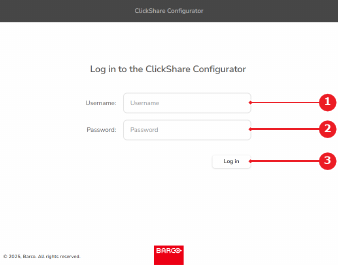
Click (reference 3, Image 8–2).
The configurator home page is shown.