About
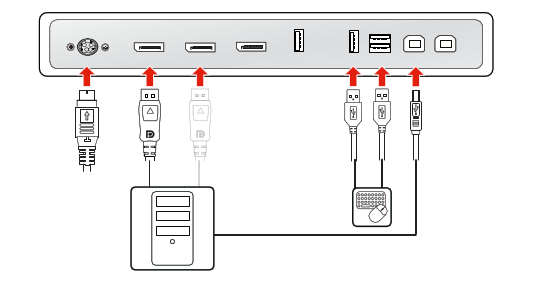
In this setup, the display is connected to a single workstation with a DisplayPort cable. When connecting a USB cable from your display to the workstation, you can control the workstation with a keyboard and mouse connected to the display.
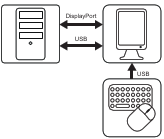

In this setup, the display is connected to a single workstation with a DisplayPort cable. When connecting a USB cable from your display to the workstation, you can control the workstation with a keyboard and mouse connected to the display.
Before you connect your display with the workstation, make sure to have a suitable[1] display controller installed in the workstation.


[1] For a list of compatible display controllers, please refer to the compatibility matrix available on my.barco.com (MyBarco > My Support > Healthcare > Compatibility Matrices > Barco Systems Compatibility Matrices)