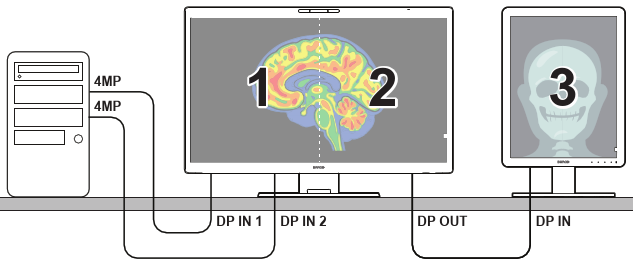
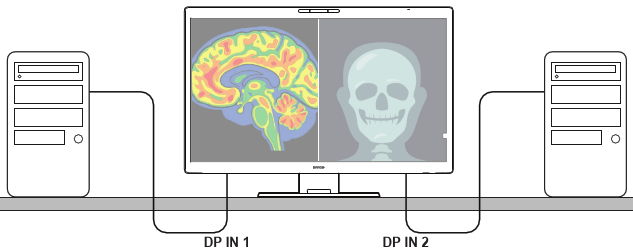
2.7 Dual input functionality (Fusion and PbP Dual Cable)
When a preset is configured to process signals coming from both DP IN 1 and DP IN 2 simultaneously (by setting the preset to ), the behavior depends on how these two ports are connected to your host workstation(s):
- Fusion: DP IN 1 and DP IN 2 are connected to the same workstation. This can help mitigate bandwidth limitations of a single cable or display controller port by having each cable drive one half of the screen, allowing the workstation to drive a single image across the entire screen at high resolutions or refresh rates.
- PbP Dual Cable: This mode is achieved when DP IN 1 and DP IN 2 are connected to two separate workstations. The display shows both inputs side-by-side, allowing you to use two workstations simultaneously. KVM is controlled by the active USB Host.