To power on the display
- Plug the power cord from the external power supply into mains power.
- Ensure the desired workstation is powered on.
- The display should power on automatically or can be manually started by pressing the jog dial.

This section describes the first operational steps after connecting the cables: powering the unit on and selecting an input to display an image. The display always operates based on one of the 5 user-adjustable presets.
To display an image, you must select the preset that corresponds to your actual connected video input(s) by using the shortcut bar.
Press the jog dial repeatedly to cycle through the numbered presets until the correct preset matching your connected video input is displayed.
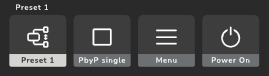
| Preset | Video input of preset |
| (factory default) | |
| (dual cable required) | |
| (automatic video input selection) |
