
Pincode protection adds an extra layer of security when connecting to a ClickShare Base Unit. When enabled, users must enter a randomly generated pincode displayed on the meeting room screen to establish a connection.
Enabling pincode protection
-
Open the ClickShare Configurator of your Base Unit (how-to, see KB2324).
-
Go to Wi-Fi & Network > Services.
-
In the Passcode type dropdown menu, choose Numeric passcode to enable pincode authentication.
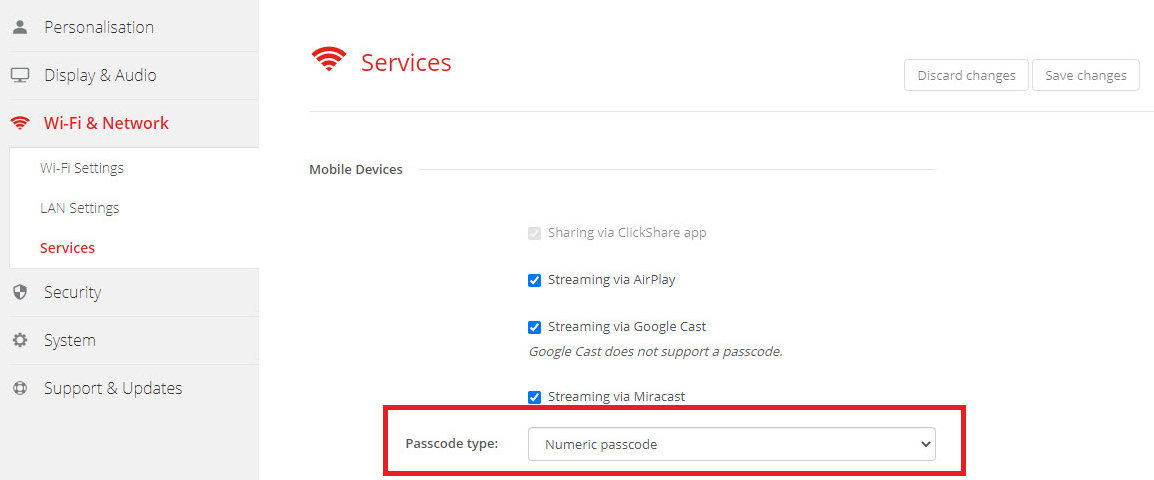
Note: Pincode protection applies to the ClickShare App and all BYOD screen sharing protocols except Google Cast. For more detailed information please refer to your respective Base Unit installation manual (how to: see KB9362).
Where to view the pincode on screen
The pincode appears differently depending on your ClickShare model and firmware version:
-
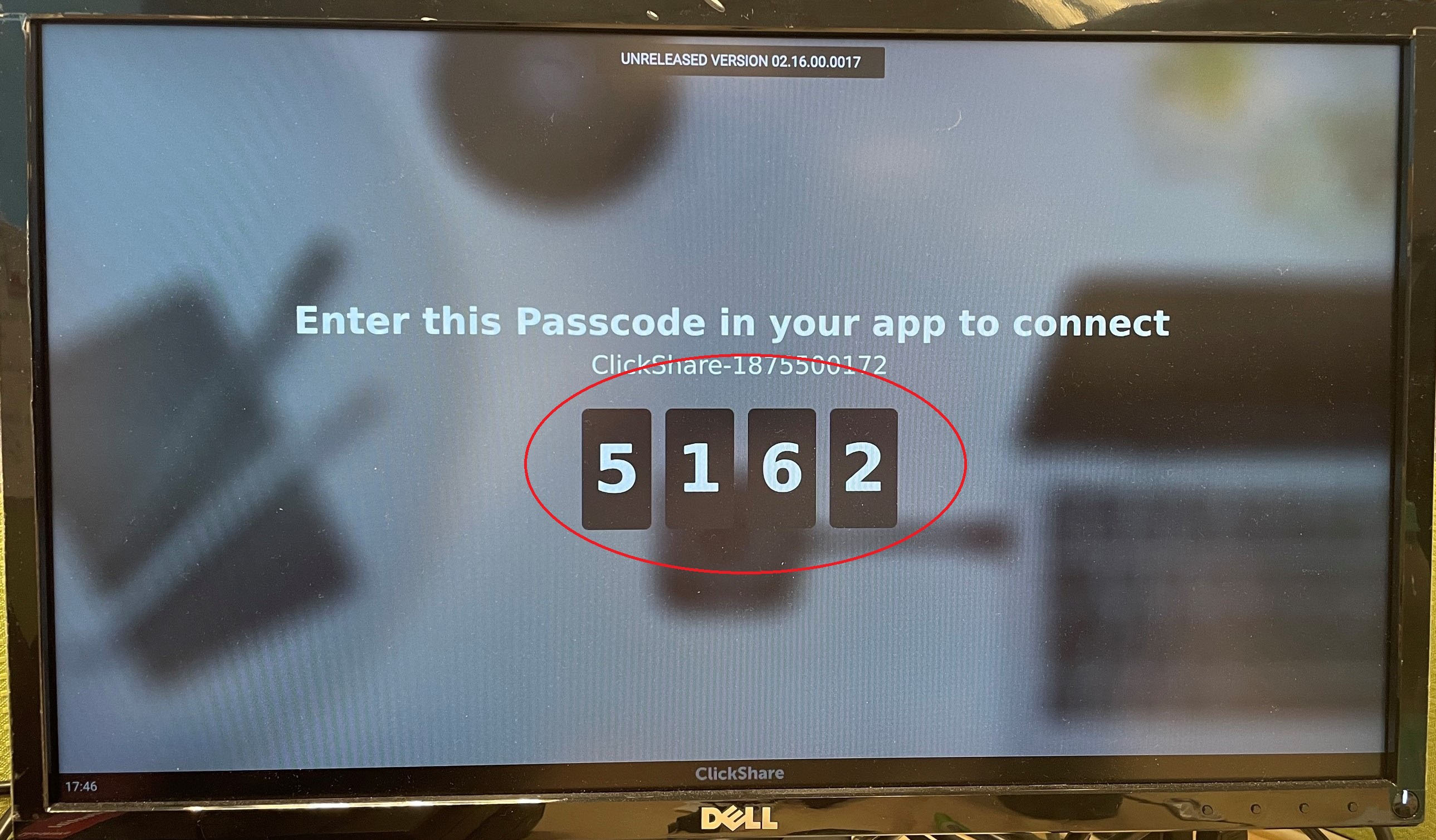
Bar Core/Pro, and CX-series and C-series devices (CX-20/30/50 and C-5/10) running firmware version 2.16 or higher
The pincode will appear in large font at the center of the screen.
-
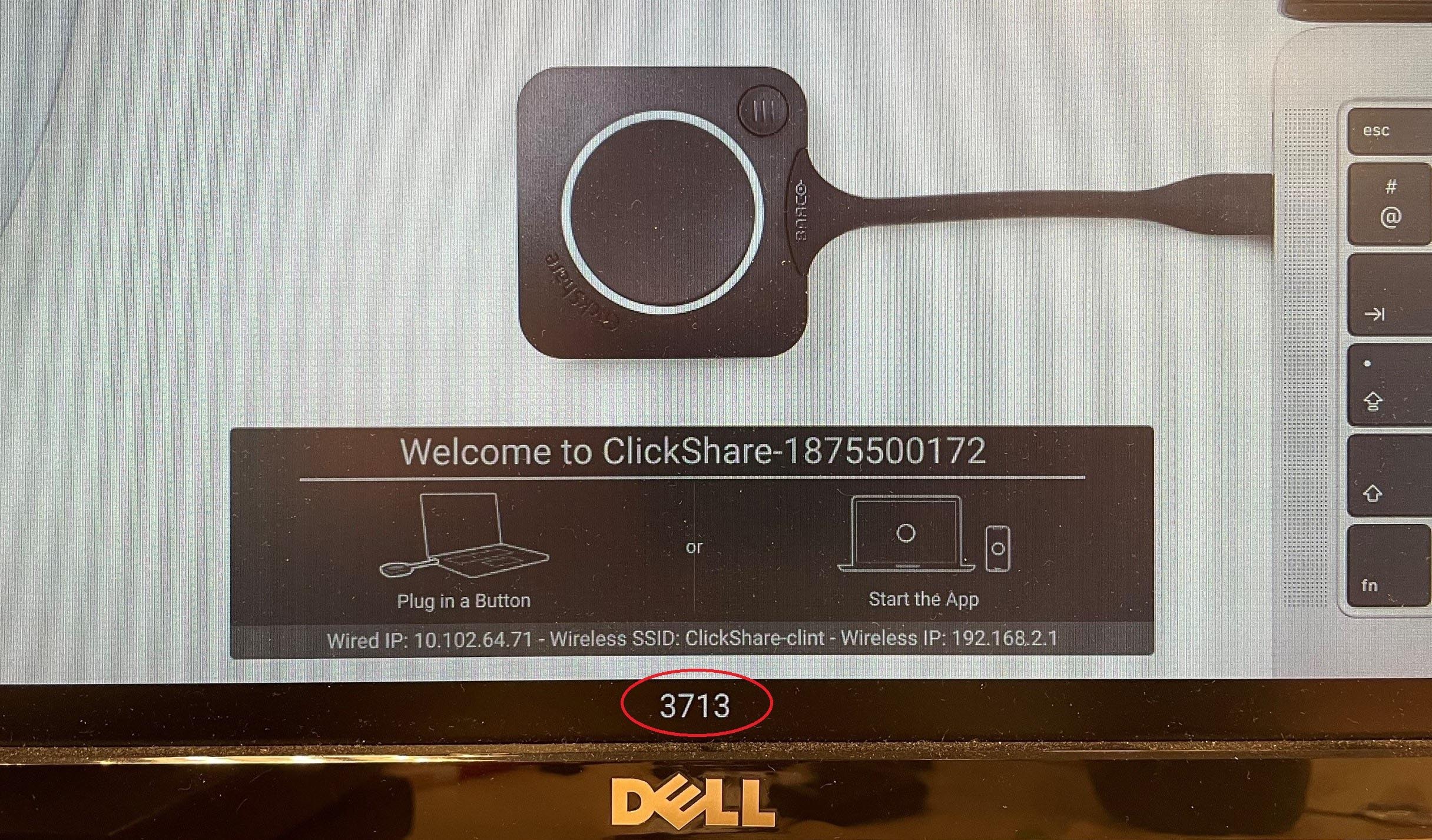
CX-series and C-series devices (CX-20/30/50 and C-5/10) running firmware below version 2.16:
The pincode appears at the center-bottom of the screen.
-
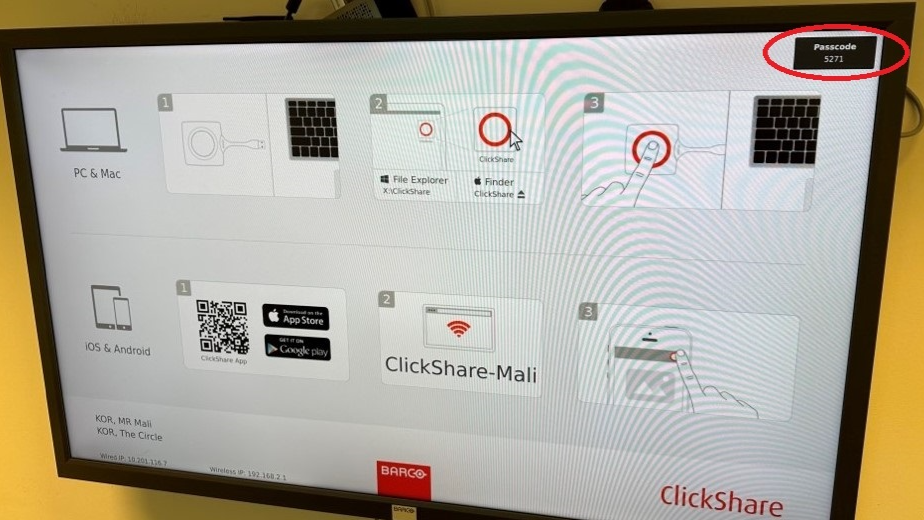
CS(E)-series devices (CS-100(H), CSE-200/200+/800) on any firmware version:
The pincode is shown in the top-right corner of the screen.
Note: Pincode protection is not supported for AirPlay on CSM-1 and CSC-1 Base Units.

