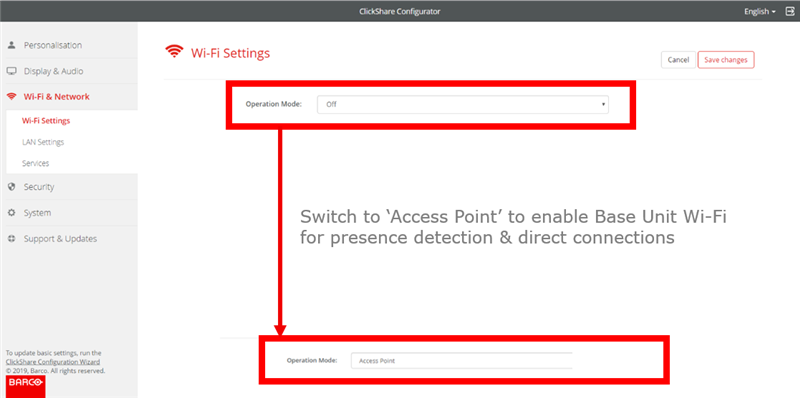
If you prefer not to use ClickShare's built-in wireless system, Barco has provided you with an option to activate network integration within the ClickShare Configurator.
This functionality allows you to:
- Enable Button integration within the corporate network
- Disable the Base Unit Wi-Fi to disallow direct connections
It has two major advantages:
- It offers the possibility to enable presence detection for the Desktop app when Buttons are integrated within the network.
- It offers the possibility to enable direct connections to the Base Unit while the Buttons are connected to the corporate access points. This mainly benefits guest users to start sharing using the ClickShare Apps, AirPlay or Google Cast.
Activating network integration:
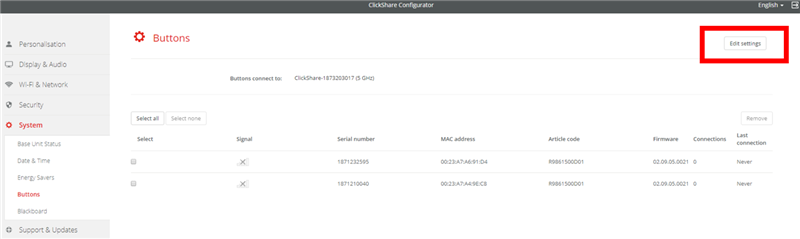
- In the Buttons menu, click Edit settings
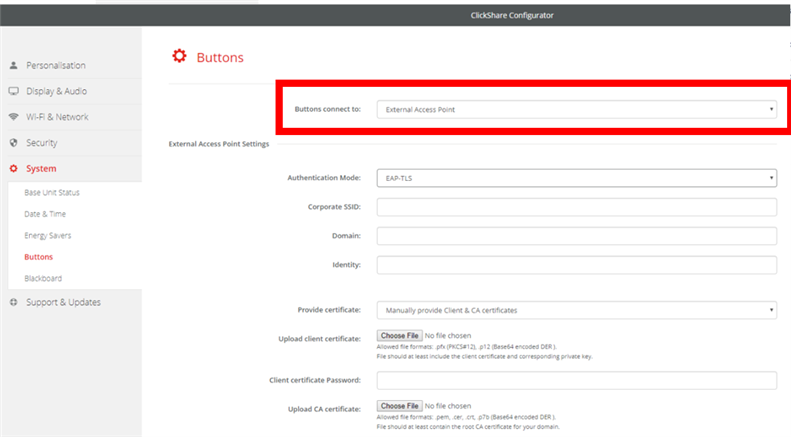
- Select the menu-option External Access Point from the drop-down menu Buttons connect to and fill out the Corporate Access Point settings
Don’t forget to re-pair the Buttons afterwards. The Buttons will now share content over the corporate network.
- Optionally, you can manually disable or enable the Base Unit Wi-Fi within the Wi-Fi & Network menu