
When you click the ClickShare Button to start sharing, the following message may appear on your laptop screen:
Display Composition is full. Click and hold the ClickShare Button to show content fullscreen.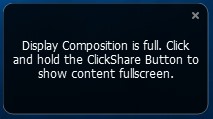
What does this mean
The reason this message appears is that the maximum amount of ClickShare Buttons sharing to the screen has been reached. The table below outlines the current specifications:
| ClickShare models | Max simultaneous connections (Buttons and/or App) | Max sources simultaneously on screen |
|---|---|---|
| Bar Core | 32 | 1 |
| Bar Pro | 32 | 2 |
| C-5 | 32 | 1 |
| C-10 | 32 | 2 |
| CX-20 | 32 | 1 |
| CX-30 | 32 | 2 |
| CX-50 Gen1 | 32 | 2 |
| CX-50 Gen2 | 32 | 2 |
| CS-100(H) | 8 | 1 |
| CSE-200(+) | 16 | 2 |
| CSE-800 | 40 | 4 on a single screen 8 on dual screen |
| CSC-1 | 64 | 4 |
| CSM-1 | 8 | 2 |
Note — Local View Restrictions:
If you see the following message at the bottom of your ClickShare Desktop App interface when connecting to the ClickShare device, it indicates that the maximum allowable room view limit for the connected ClickShare device has been exceeded. For information on Local View restrictions for your ClickShare device, see KB11203.
Contact Barco Support:
If the issue persists or you're experiencing unexpected behaviour related to maximum simultaneous connections or maximum sharing to the screen with your ClickShare device, please contact Barco Support for further assistance by submitting a service ticket (how to: see KB6024).

