
Observation
We have noticed that on some occasions, ClickShare Buttons or Base Units in Wireless Clients mode won't connect to the corporate Access Point.
Cause
When Protected Management Frames (PMF) is set to Required, the connection cannot be established.
Resolution
When the setting is set to Optional or Disabled, the connection will be established.
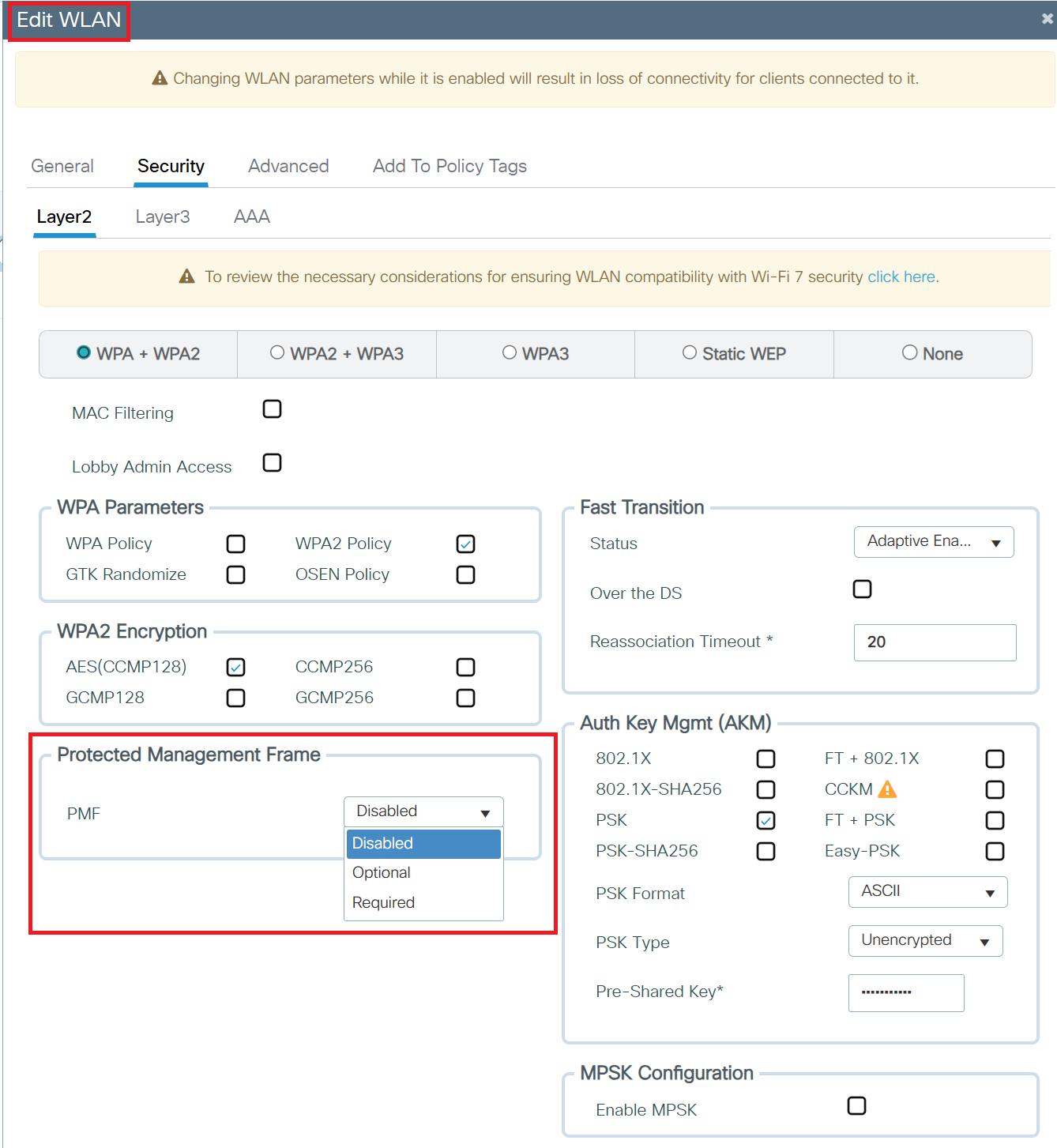
Example - Disabling PMF on Cisco Wireless Controllers
- Navigate to: Configuration > Tags & Profiles > WLANs
- Edit the WLAN
- Go to the Security tab
- Go to the Protected Management Frames (PMF) option and configure it to either Optional or Disabled
Notes:
- IEEE 802.11w is an amendment to the wireless standard that provides Protected Management Frames (PMF) to enhance Wi-Fi security.
- PMF protects management and control frames from forgery and replay attacks.
- It adds:
- Data origin authenticity
- Integrity
- Replay protection for critical frames like deauthentication and disassociation
- This helps prevent denial-of-service (DoS) attacks and secures networks from rogue access points.
- PMF is a negotiable feature that must be supported by both the access point and the client device to be effective.