
Whether you’re at your desk, in the meeting room, or working from home: one click is all you need to start your next meeting!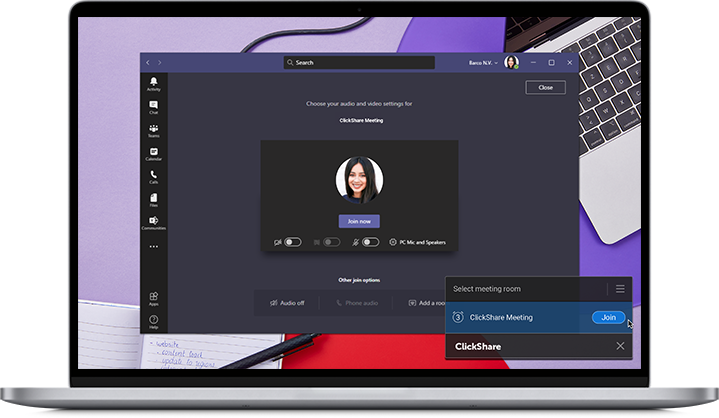
The ClickShare Desktop App shows you the upcoming and ongoing meetings you can join, based on your personal calendar. With just one click, you’ll connect to the meeting room, join the video call, or both if needed.
Prerequisites and requirements
- ClickShare Desktop App version 4.9 or higher installed.
- Supported on Windows 10 and 11 platforms
- Up until version ClickShare Desktop App 4.11, only the 32-bit version of Microsoft Outlook was supported. Starting with version 4.12, the 64-bit version of Microsoft Outlook is also supported.
Important:
Outlook new does not support this feature.
The Outlook classic mode must be enabled, otherwise One‑Click Join will not function at all.
- Microsoft Teams links have been supported since ClickShare Desktop App version 4.9, while Zoom links were introduced in version 4.10. Starting with version 4.12, support has also been added for MS Skype/Lync, Webex by Cisco, Lifesize, Starleaf, Slack, and BlueJeans.
How it works
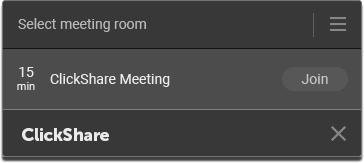
Based on your Outlook calendar, the ClickShare Desktop App shows you the meetings about to start (less than 15 minutes) and those that are underway. The App takes care to only show the meetings you can join:
- Calendar items with a conference call link
- Calendar items with a location specified
By hovering over the meeting in the ClickShare Desktop App, the location of the meeting is shown:
- Current (New) user interface


- Old user interface
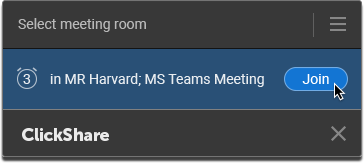
By clicking on the Join button, the App will now start connecting to the meeting room and/or the conference call, based on the calendar information.
See the video tutorial below for the instructions on using One-click Join (ClickShare Desktop App Old user interface).

