
The HDMI™ IN to USB-C convertor kit (R9861581) is intended to be used for only 2 use cases:
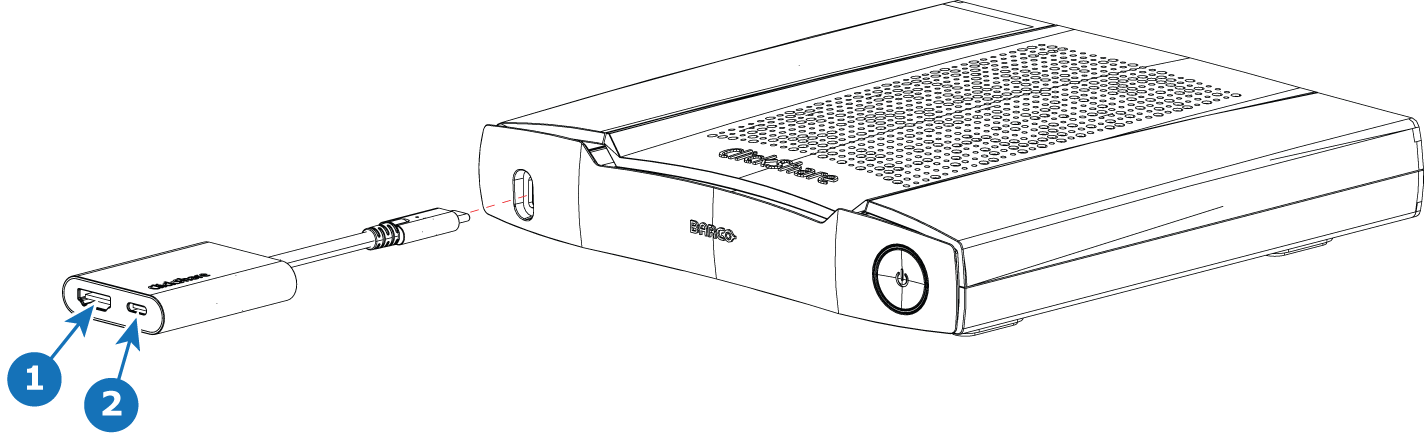
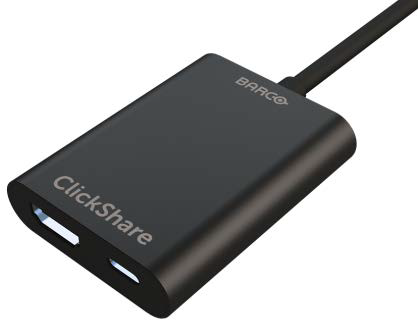
The front USB Type-C™ port used in combination with the HDMI™-IN to USB-C convertor, can be used as HDMI™ input. This port supports the Wired RoomDock functionality where the camera will be displayed on the PC screen.
Warning! Usage of any other HDMI™ to USB-C convertor is not supported!
1. HDMI™ input
To connect HDMI™ sources to the Base Unit this convertor kit must be used. It enables to connect an HDMI™ source to the Base Unit and a USB Type-C™ port remains available. The USB-C port on the adaptor is not DP compatible so the device will not act as a switcher between HDMI™ and DP over USB-C.
To use the convertor kit as a HDMI™ input, you need to enable DisplayPort over USB-C in the Base Unit Configurator (Display & Audio > Inputs). For more info see the installation manual.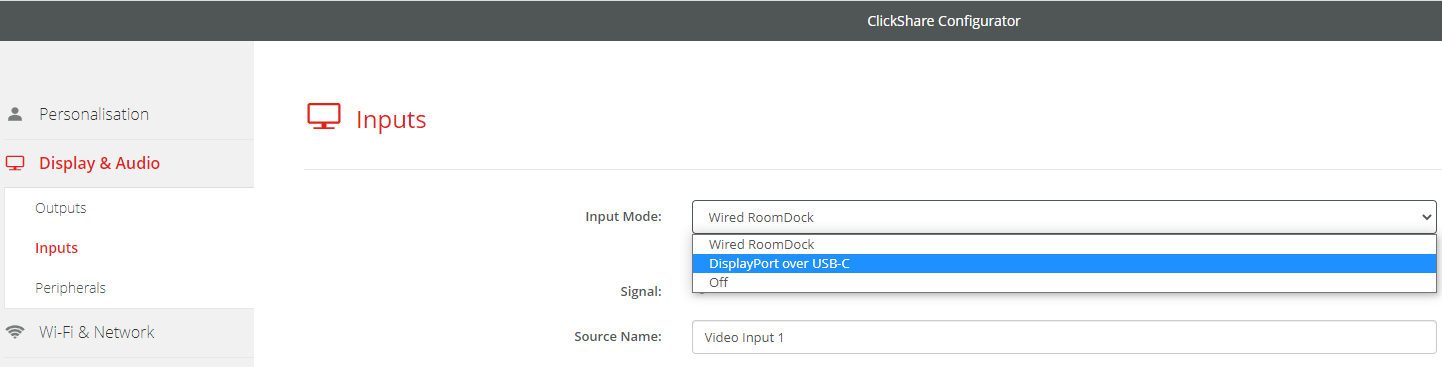
2. Wired RoomDock
With Wired RoomDock, the user can share high resolution and frame rate content and connect to the room audio and video over a wired connection.
To use the convertor kit for Wired Room Dock, you need to enable Wired RoomDock in the Base Unit Configurator (Display & Audio > Inputs). For details see the installation manual.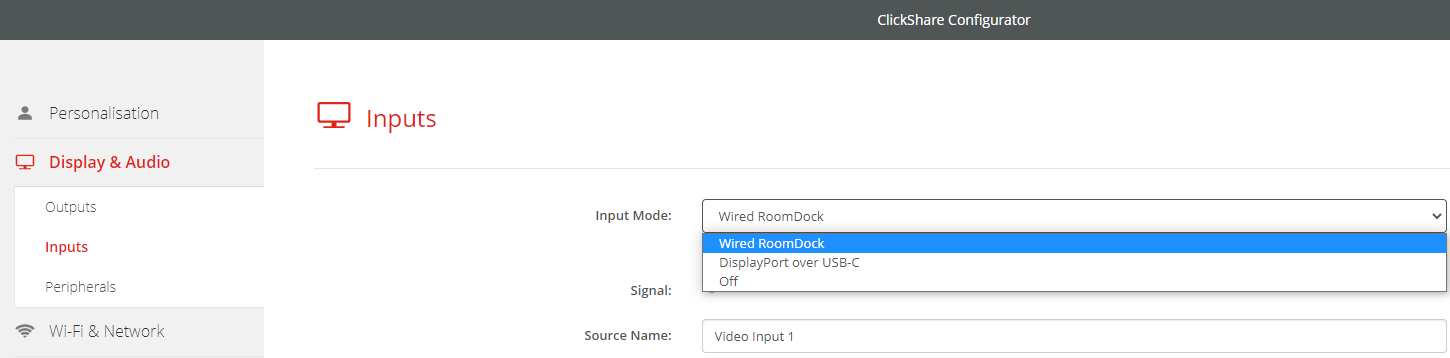
See KB7294 for more instructions on how to use the convertor kit for Wired RoomDock,
For Wired RoomDock using the HDMI™ IN to USB-C convertor kit (R9861581) it is advised to use up to date firmware (minimal 2.19)

