
The easiest way to update XMS (Virtual) Edge in offline mode is via the XMS (Virtual) Edge web configurator.
-
Make sure the latest update file is downloaded on your PC.
-
Click Device Manager application at the bottom of the XMS Edge web page.
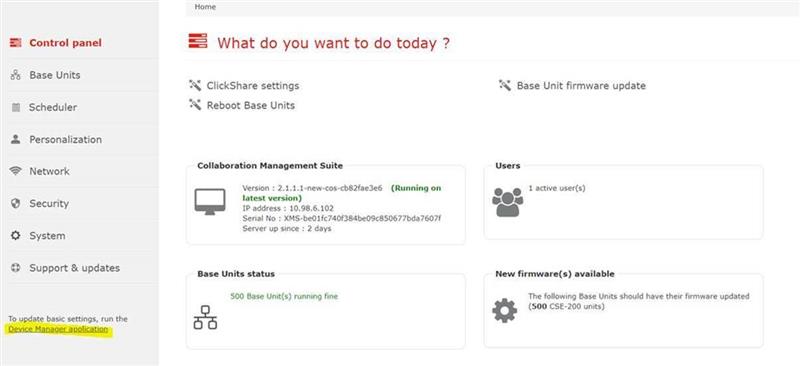
-
Go to Support & Updates > Updates.
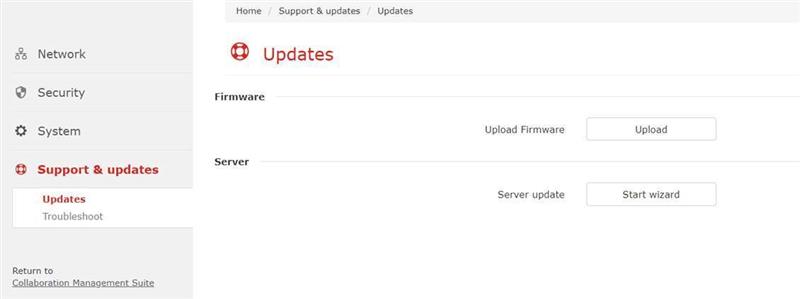
-
Click Upload and select the downloaded update file on your PC.
-
Return to the same page and click Start Wizard to update the firmware.
Upgrade via USB Drive
There is also the possibility to perform the upgrade of your XMS Edge via a USB drive.
Make sure the USB drive is bootable first and upload the same .deb file to it. Plug it into one of the USB ports of the XMS Edge; the upgrade will start automatically.

