
When you register for the first time on XMS Cloud, you're requested to select your role, this is visible in both the desktop and mobile view of XMS Cloud.
These roles define how you'll be using XMS Cloud.
-
As Owner / Admin, you can create one organization account1 (e.g. Company X) and you manage the ClickShare Base Units in this organization
-
As Reseller / Integrator, you can create and manage multiple organization accounts, one for each or your end-customer accounts
Note that once you've selected a role, you cannot change it in the XMS Cloud UI. Please raise a Service Ticket with our support team when you need to change role (how-to, see KB6024).
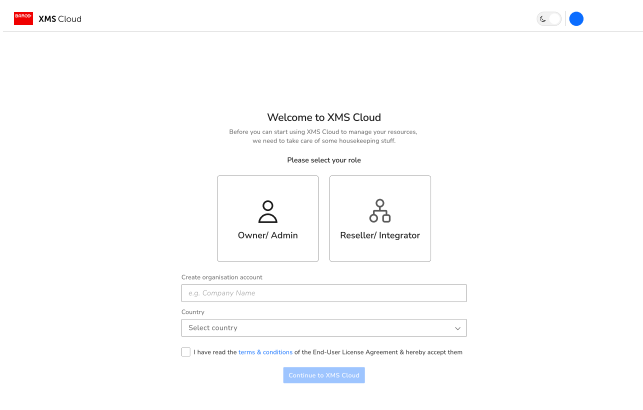 | 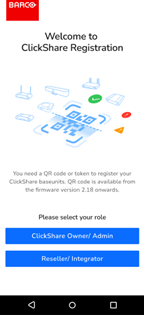 | |
| XMS Cloud UI desktop view | XMS Cloud UI mobile view |
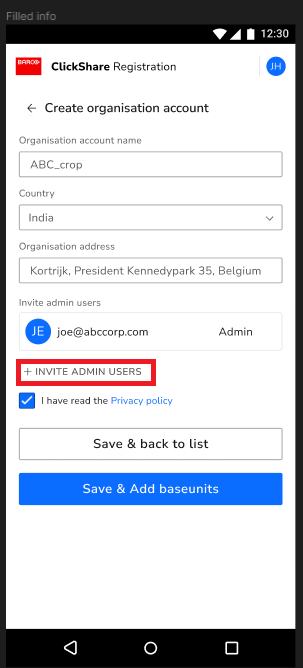
Note: Starting from v2.19, you can invite users for admin roles by using the + INVITE ADMIN USERS option on the XMS Cloud UI on mobile phones. An invitation link will be sent to the specified user's email address. This option is useful for adding users with admin roles after an organization account has been set up.
1 You can still be linked to multiple organizations (e.g. an admin of another organization can still invite you to join that organization).