
The advanced sharing feature in the ClickShare Desktop App allows you to share a specific application (example: MS PowerPoints) or window from your laptop to the meeting room display while being able to work separately (example: OneNote) on your laptop at the same time. During this time whatever you're working on your desktop will not be displayed in the meeting room display.
1. ClickShare Desktop App (version 4.0.7.4 or higher) is installed on your computer.
2. Installing the ClickShare Extension Pack on your computer is not required for application sharing.
Using ClickShare Desktop App current user interface
-
Launch the ClickShare Desktop App, select your meeting room from the list and connect (how-to, see KB2607).
-
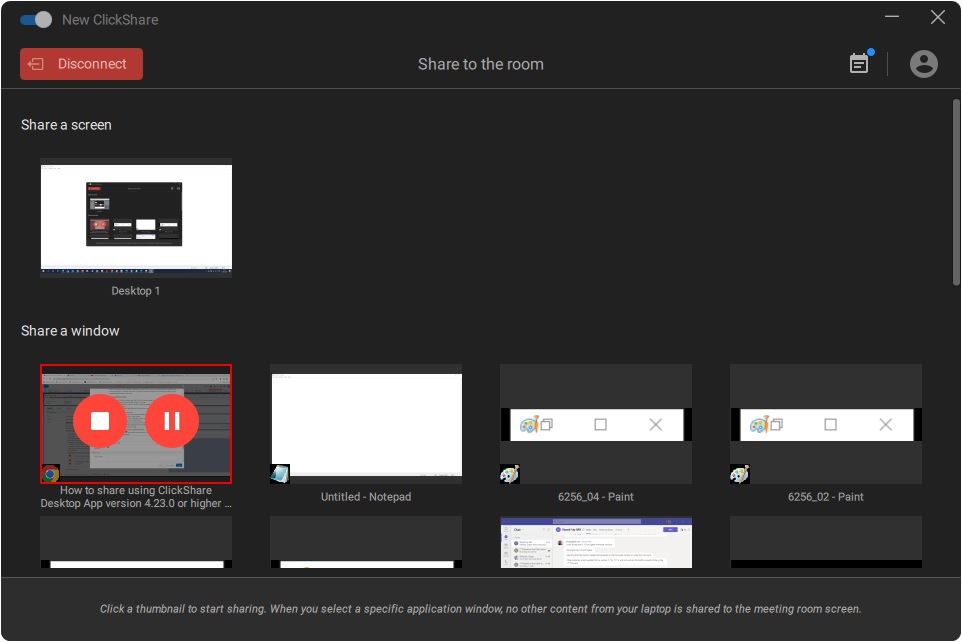
When the ClickShare Desktop App is ready to share, it will display the last six open applications or windows on your computer.
-
Click on the application or window to share. A red square indicates the selection.
Only the selected application is shared on the meeting room display.
Using ClickShare Desktop App old user interface
-
Launch the ClickShare Desktop App, select your meeting room from the list and connect (how-to, see KB2607)
-
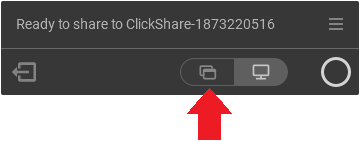
Click the advanced sharing feature icon in the ClickShare Desktop App.
Note: If the ClickShare Desktop App version is below 4.3.0.8, click the hamburger menu icon and then click Share an application.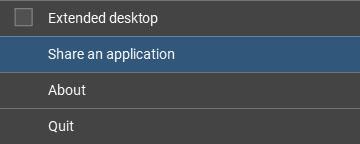
-
By default, the last 6 open applications or windows on your computer are displayed.

-
Click on the application or window to share content on the meeting room display. The selected application or window displayed on the meeting room display and at the same time, you're being able to work on your laptop separately.
If you need to share more windows, please do a complete Desktop share.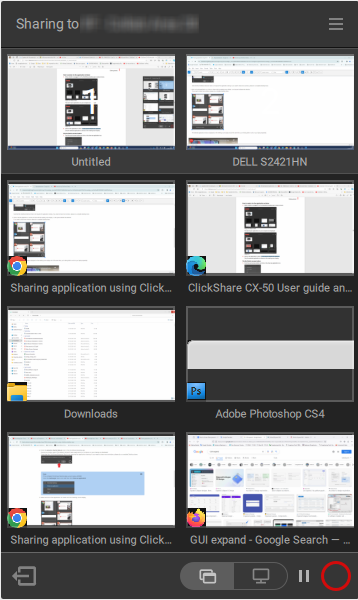
The video below demonstrates "How to use advanced sharing in the ClickShare Desktop App old user interface".

