

How to connect
Connect an “HDMI” cable from the “HDMI in” port of the Base Unit to the “HDMI out” port of a computer. (reference 1)
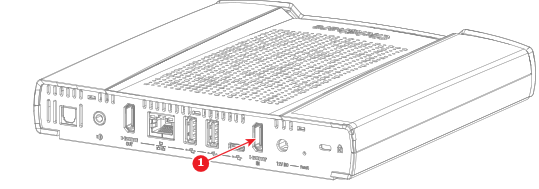
Image 5–4 Connection for the HDMI cable - Manage the video input in the ClickShare configurator. For more information, see “Inputs”.