17.8 Replacement of the high density dust filter

Caution: The high density filter must be replaced on a regular basis, depending on the environment conditions of the projector.
Warning: Switch off the projector and unplug the power cord before starting the procedure.
Required parts

New filter (available kit : R98010085, contains 5 high density filters and one cleanable filter)

How to replace
  1. Remove the front cover, see “Removal of the front cover”.
  2. Push both filter holders to the outside.
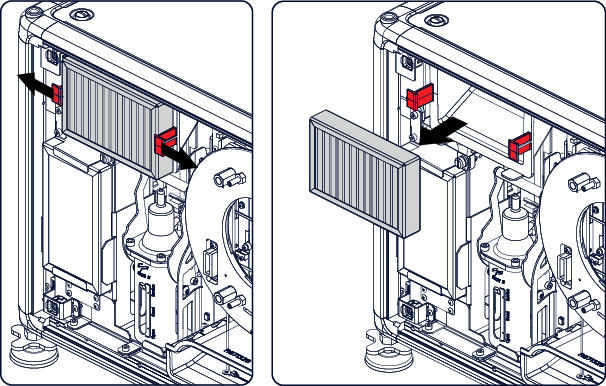
    Image 17–12 Filter replacement
  3. Take out the filter and insert a new one.
Caution: Never clean the filter. Always replace with a new one.