Event Master processors and devices can be supported by Event Controllers, hardware consoles specifically designed to facilitate and accelerate the operations during the show. Controller Menu is the module used to setup the selected console.
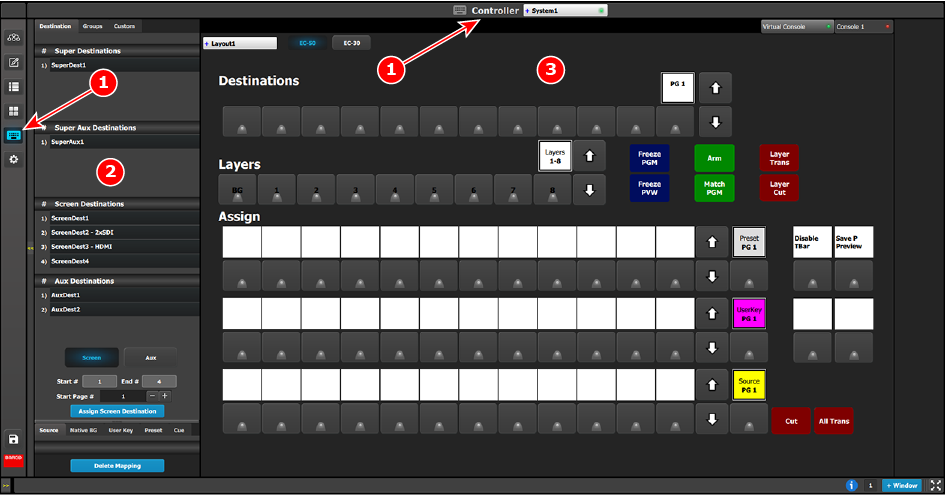
This menu is accessible by clicking the Controller icon in the menu bar on the left side of the UI.
Description
Image 6–115Controller menu overview
1
Controller menu
2
Resources area
3
System diagram area
The Controller setup page is divided in two parts. One list of available resources (right side of the page) and one virtual representation of the selected controller.
The user can assign resources from the list onto controller buttons via drag and drop, or remove incorrect mapping.

 in the menu bar on the left side of the UI.