What can be done?
A warp file downloaded from a projector can be uploaded in Projector Toolset's warp UI to continue fine tuning this warp.

A warp file downloaded from a projector can be uploaded in Projector Toolset's warp UI to continue fine tuning this warp.
Right click in the warp UI.
The context menu opens.
Select (1).
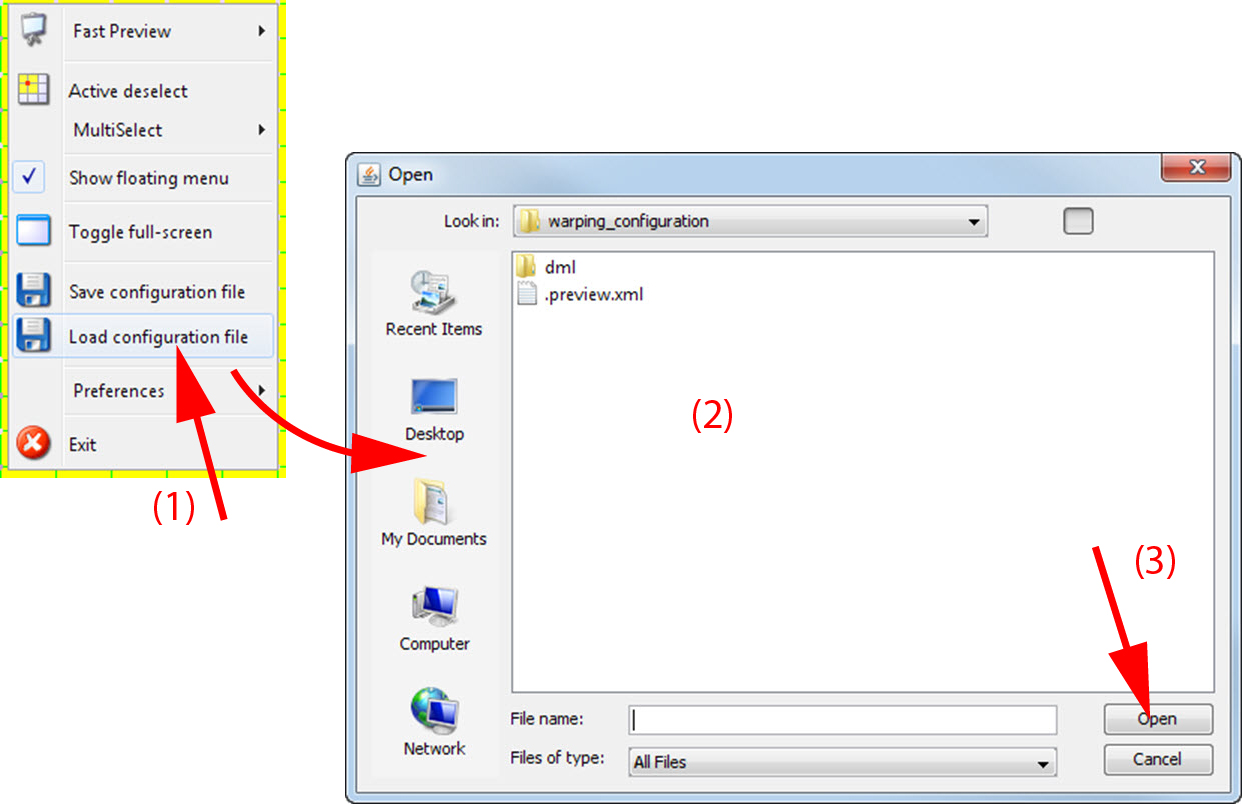
A browser window opens.
Browse to the desired warp file (2) and click Open (3).
The warp file is loaded in the warp UI.