General
Event Master processors and devices can be supported by Event Controllers, hardware consoles specifically designed to facilitate and accelerate the operations during the show. Controller Menu is the module used to setup the selected console.

Event Master processors and devices can be supported by Event Controllers, hardware consoles specifically designed to facilitate and accelerate the operations during the show. Controller Menu is the module used to setup the selected console.
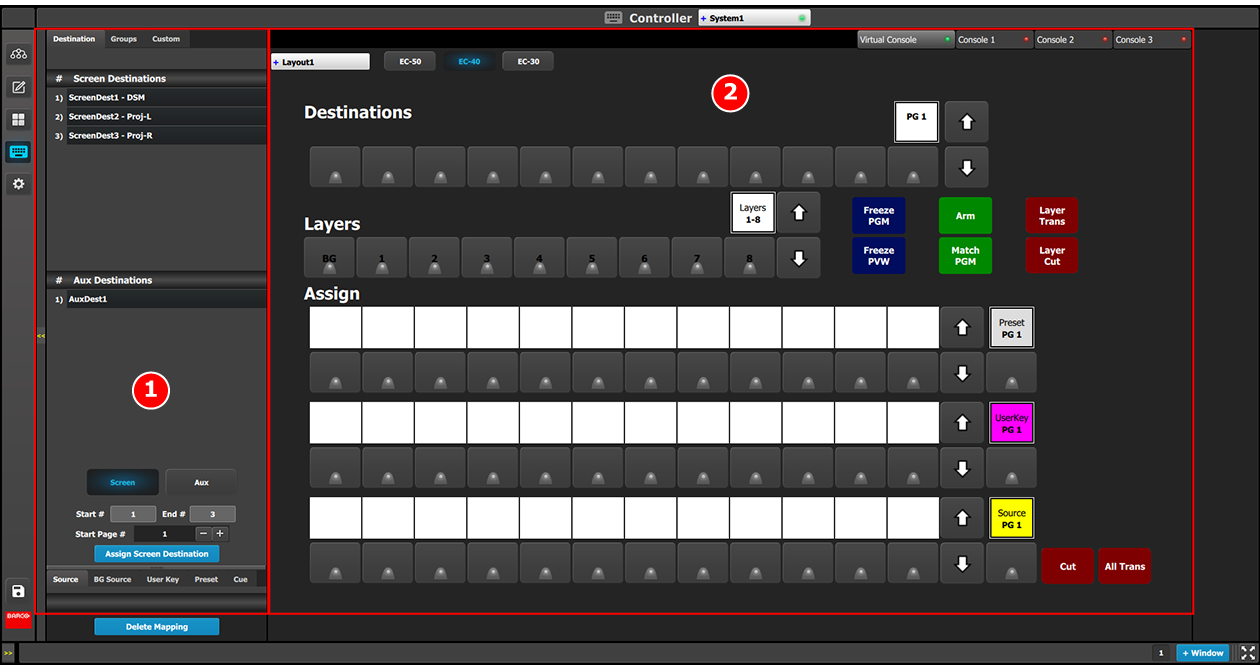
This menu is accessible by clicking the Controller icon  in the menu bar on the left side of the UI.
The Controller setup page is divided in two parts. One list of available resources (right side of the page) and one virtual representation of the selected controller.
The user can assign resources from the list onto controller buttons via drag and drop, or remove incorrect mapping.
Refer to “Assigning resources to the desk ” for more information about the Controller Menu setup page.