About
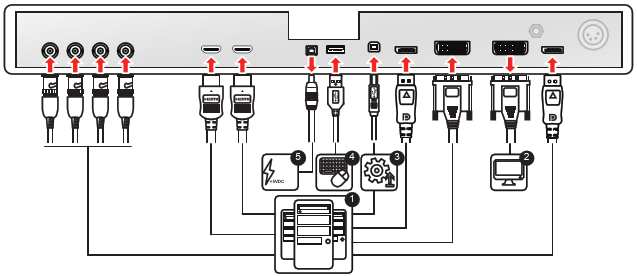
The MDSC-8231 can have multiple video inputs connected. Switching between the different inputs can be done easily with the Source shortkey ( ).
).
Futhermore, if more than one video source is connected, the Picture in Picture and Picture and Picture (PiP/PaP) functionalities become available, allowing you to view 2 different video inputs at once. Refer to “Picture and Picture input” and “Picture in Picture input” for more information.
Beside the video input connections, the MDSC-8231 also has video output capabilities allowing you to loop-through or duplicate all video inputs connected with the MDSC-8231 to another display, projector, video recorder, ...
This chapter describes how to connect the different video interface types to the MDSC-8231.