Location
- IMS main sidebar > > Device detail page >

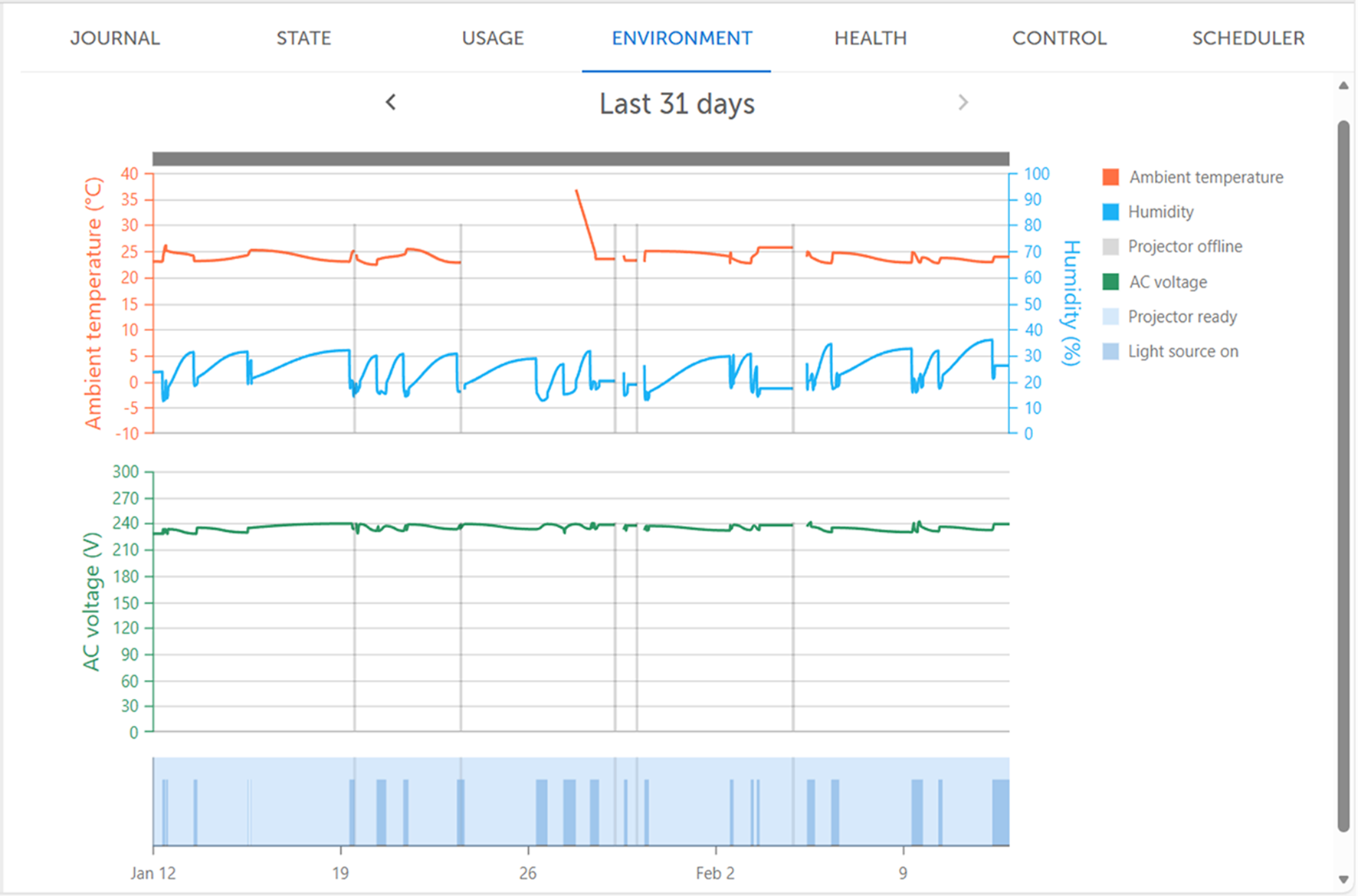


The ambient temperature is shown as a red line in the history overview. The temperature values are displayed on the left axis line in degrees Celsius or Fahrenheit.
When the device connects to the cloud, it saves the ambient temperature with one decimal as the starting value. If the temperature changes by 1 degree Celsius or more, the device saves the new value in the history.
The ambient humidity is shown as a blue line in the history overview. The humidity values are displayed on the right axis line in percentage.
When the device connects to the cloud, it saves the ambient humidity with one decimal as the starting value. If the humidity changes by 1%, the device saves the new value in the history.
The AC voltage is shown as a green line in the history overview.
When the device connects to the cloud, it saves the AC voltage with one decimal as the starting value. If the voltage changes by 5 volts or more, the device saves the new value in the history.