Overview
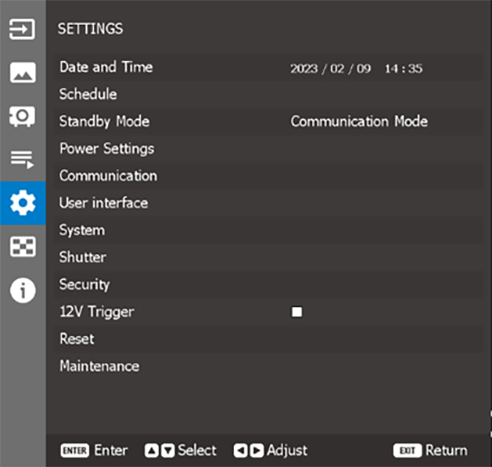

Sets up the date and time for the projector. For more info, see “Date and Time”.
Schedule the project functions to operate automatically at the set time. For more info, see “Schedule”.
Setup the projector standby mode. For more info, see “Standby Mode”.
Configure the projector’s power settings. For more info, see “Power Settings”.
Configure the settings that allow the projector to communicate with other projectors or control devices. For more info, see “Communication”.
Select a language for the OSD menu. For more info, see “Language”.
Configure the user interface related settings. For more info, see “User interface”.
Configure the system related settings. For more info, see “System”.
Set up the shutter behavior. For more info, see “Shutter”.
Set up the projector security options. For more info, see “Security”.
Sets the trigger. For more info, see “12V Trigger”.
Configure the audio related settings. For more info, see “Audio”.
Reset the projector settings to factory default values. For more info, see “Reset”.
Enter the Maintenance / service menu after entering the servicing password. For more info, see “Maintenance”.