Location
- Navigation side bar:
- Left panel:

Disconnecting from a system in Event Master Toolset will remove it from the multi-system list. The units will remain as a system. To remove a unit from a system, see “Separating linked units”.
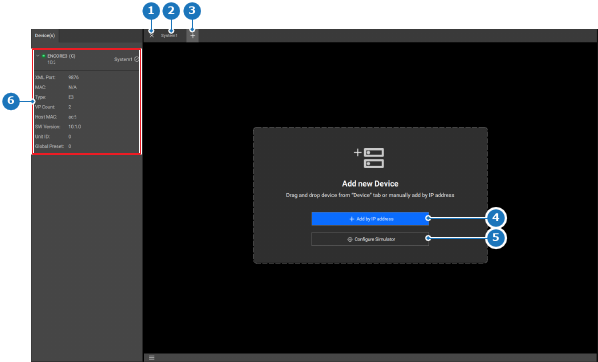
Click on the (reference 1) in front of the desired system in the top panel.
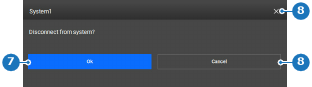
A confirmation pop-up will be shown.
Click (reference 7) to disconnect.