8.10.3.3 Separating linked units

Location
  1. Navigation side bar: Configuration
  2. Central work window: Detail View or System View
Prerequisites

The units must be physically linked with link cables and linked in Event Master Toolset. For more information, see:

How to separate
  1. Click the separate button of the client unit (reference 4).
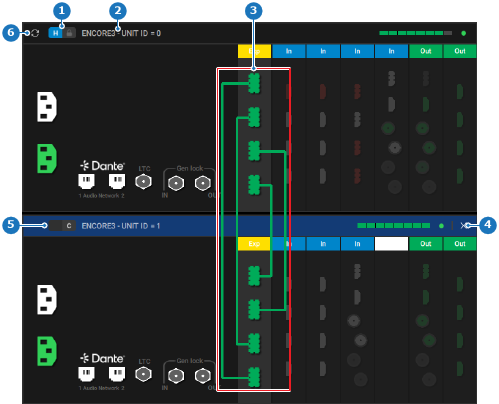
    Image 8–25
    1
    Host unit label
    2
    Unit details label
    3
    Link cable connections
    4
    Separate button
    5
    Client unit label
    6
    Synchronize button

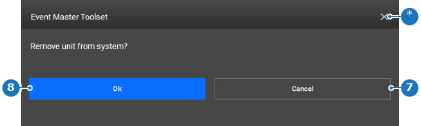
    A confirmation pop-up is shown.

  2. Click on Ok (reference 8).

    Image 8–26
    7
    Cancel button
    8
    Confirm button
    *
    Close button

    The client unit is replaced with a dummy unit.

  3. Click the save icon () in the header.