Location
- Navigation side bar:
- Right panel:

A cue must be created. For more information, see “Creating a cue”.
Select the desired cue (reference 5).
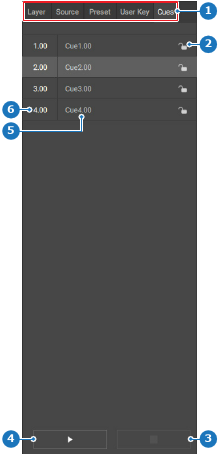
 ) icon (reference 4, Image 8–138) to start the cue.
 ) icon (reference 3, Image 8–138) or pause (
 ) icon (reference 4, Image 8–138) to stop the cue. (optional)