Location
- Navigation side bar:
- Central work area: or

The first time a layer is created or used, no source will be added to the layer. If a source has been added to the layer at any time, then the layer will be created with the last source automatically added. This memory is not affected by type changes.
The source of a layer can be changed by adding or overwriting the source of the layer. For more information, see “Adding a source”.
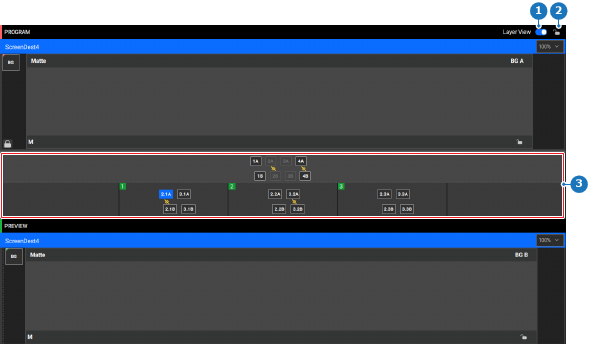
Is the layer bar (reference 3) visible in the central work area?
Drag (reference A) and drop (reference B) the desired layer into the scene.
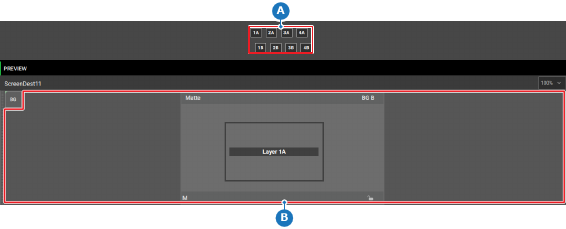
An empty layer is added.
 ) in the header.