Prerequisites
A computer with Event Master Toolset installed and a free ‘USB-A’ port is required to use the controller. For more information on how to install the Event Master Toolset, see “Event Master Toolset installation”.

A computer with Event Master Toolset installed and a free ‘USB-A’ port is required to use the controller. For more information on how to install the Event Master Toolset, see “Event Master Toolset installation”.
The EC-50 has a built-in power adapter. This internal power adapter must only be connected with power sockets rated up to 230V.
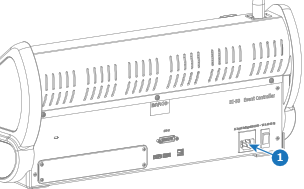
Plug a power cable from the wall socket to the power port (reference 1).
Set the power switch (reference 2) in the ‘on’ position.
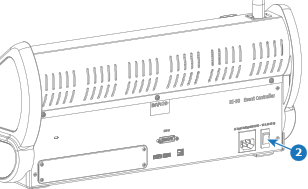
A light bounces back and forth among the ‘Destination’ buttons.
Connect a ‘USB-B to USB-A’ cable from the ‘USB-B’ port of the EC-50 (reference 3) to a free ‘USB-A’ port of the computer.
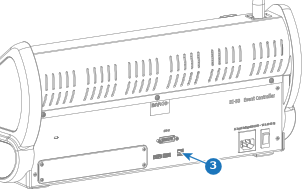
The bouncing light stops when the connection to the computer is made.
Connect a DVI cable from the ‘DVI out’ port of the computer to the ‘DVI-D’ port (reference 4) of the EC-50.
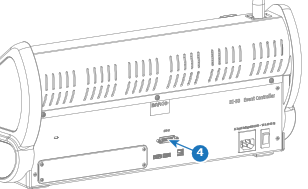
The desktop of the computer is shown on the EC-50 touch display.
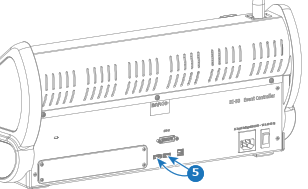
Connect a keyboard and or mouse to any of the ‘USB-A’ ports of the EC-50 (reference 5). (optional)
Is there a prompt to install the controller driver?