
6.3 Widget panel
About the widget panel
The widget panel automatically loads any present layouts. These layouts can displayed within the browser. For more information on how to create widgets, see “Creating a widget”.

How to use
Select the desired widget from the tiles.
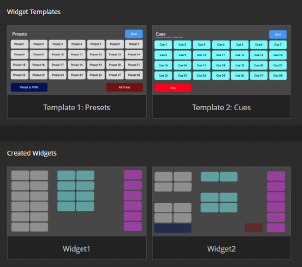
Image 6–3 Is the widget panel password protected?
- If yes, enter the password after (reference 1) and click (reference 2).
- If no, no further actions required.

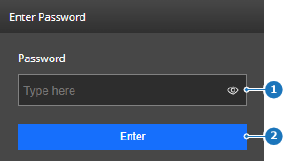
Image 6–4 - 1
- Password input field
- 2
- Confirm button
The widget is shown in full resolution. Depending on the screen resolution of the device, scrolling may be required to see all buttons.
- Click on any desired button to execute its effect.
 ) in the input field.