About notices
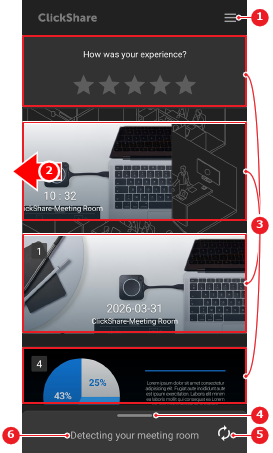
The home screen of the Mobile App has informational notices and an overview of the taken screenshots. Each of these notices is its own section that can be dismissed or interacted with.

The home screen of the Mobile App has informational notices and an overview of the taken screenshots. Each of these notices is its own section that can be dismissed or interacted with.
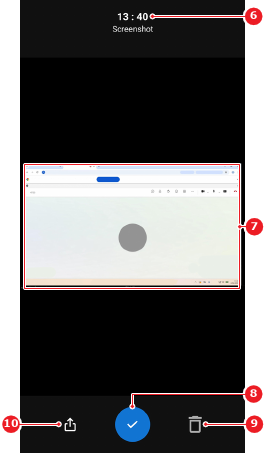
Any taken screenshots stored within the Mobile App are visible on the home screen as notices. The screenshots can be used or deleted from these notices using the manage functionality. For more information, see the following procedure. For more information on how to take screenshots, see “Screenshot room display”.
Interact with the home screen notice using one of the following methods:

Is the notice a stored screenshot?
Decide what must be done with the screenshot from the review window.