About the pairing
A Button must be paired with a Base Unit to work. An unpaired Button is not be able to share content nor connect to ClickShare.


A Button must be paired with a Base Unit to work. An unpaired Button is not be able to share content nor connect to ClickShare.
The Base Unit must be awake before a Button can be paired. For more information, see “Waking the Base Unit”.
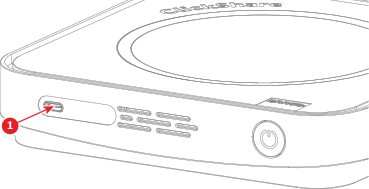
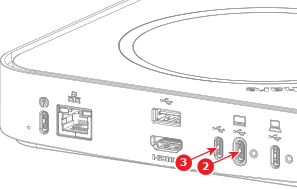
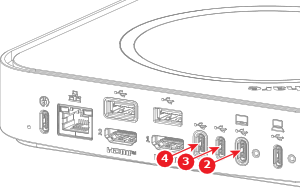
Connect the Button to any free ‘USB-C’ port (reference 1 to 4) of the Base Unit.

Remove the Button from the Base Unit.
The Button is ready to be used.