
Recherche Barco

Notifications myBarco

Non lu

Lu

Vous n'avez aucune notification.
Produits

How do I configure the XMS (Virtual) Edge proxy settings when using XMS Cloud?

Numéro d'article: [2241] - Code hérité: [11340]

Applicable à

  1. In XMS Cloud, navigate to Manage > XMS Edges and select the XMS (Virtual) Edge for which you want to configure a proxy server. 
  2. In the Actions menu column, click the Quick View button and then select Offline Access.
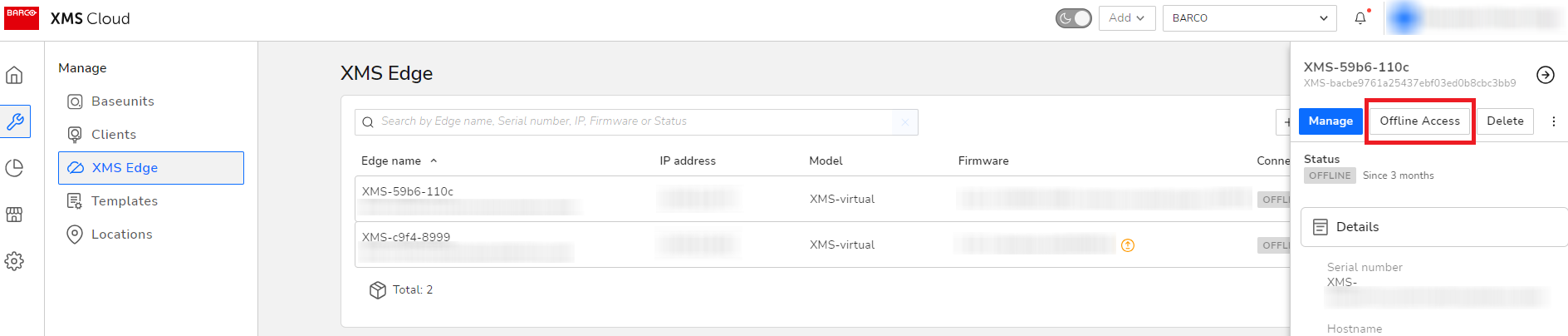
    kb2241_01.png
     
  3. Click on the URL of the XMS (Virtual) Edge).
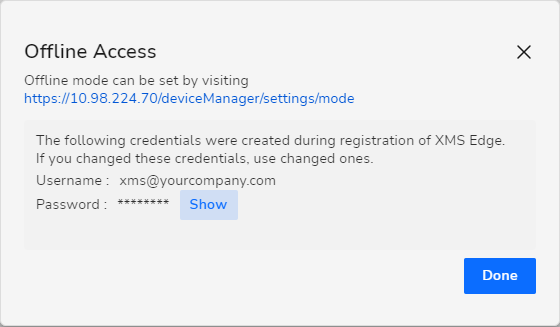
    kb2241_02.png
     
  4. Within the XMS (Virtual) Edge configuration pane, navigate to Network > LAN settings.
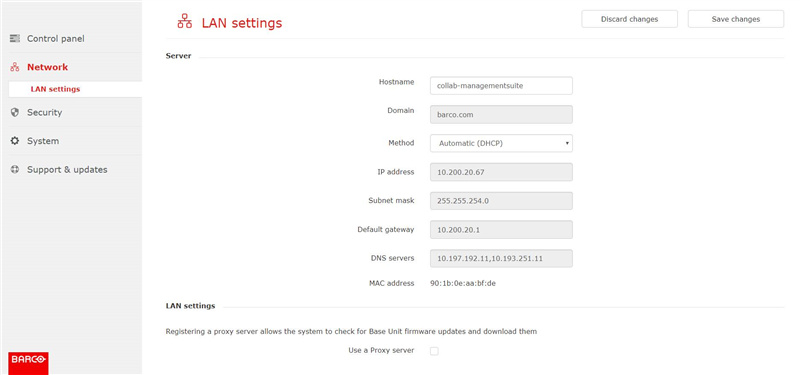
     
  5. At the bottom of the page, select ‘Use a Proxy server’ and fill out the Proxy server details.
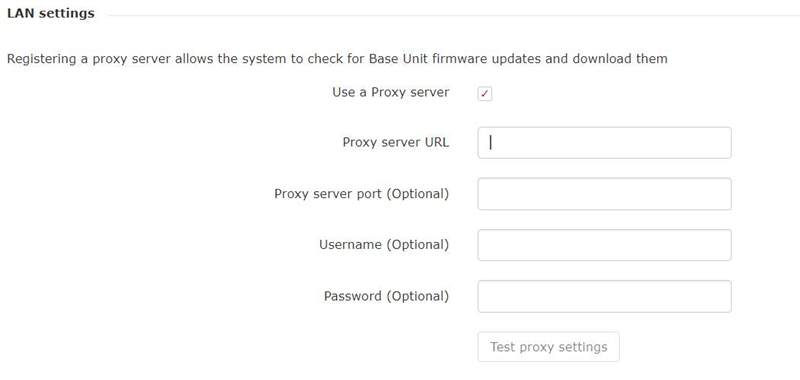
Note: General Cloud proxy server URLs are supported.

Propriétés

Dernière mise à jour 7 sept. 2026

Aucune solution trouvée ?

Assistance téléphonique

Notre help-desk vous permet d'accéder à un support téléphonique rapide. Une équipe de techniciens support expérimentés se tient à votre service pour toute assistance professionnelle.