
When left as default, the ClickShare when going to Eco standby (to still be managed by XMS) it is awakened by the monitor when that goes to standby, and so the ClickShare will turn on the monitor again.
Solution
CEC needs to be disabled and only HDMI™ Hot plug used over the Samsung screen.
Under the general settings of the Samsung display disable the Anynet+ (HDMI-CEC) and keep the HDMI Hot Plug settings activated.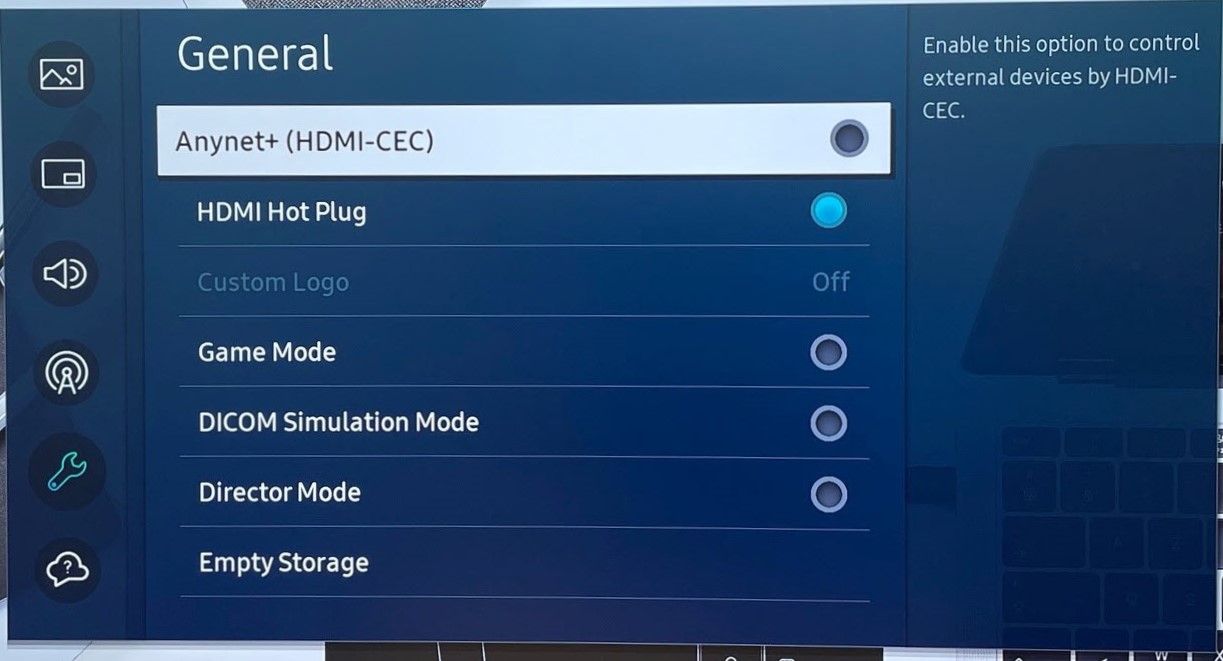
Under Power and Energy Saving settings of the display have all other settings turned Off.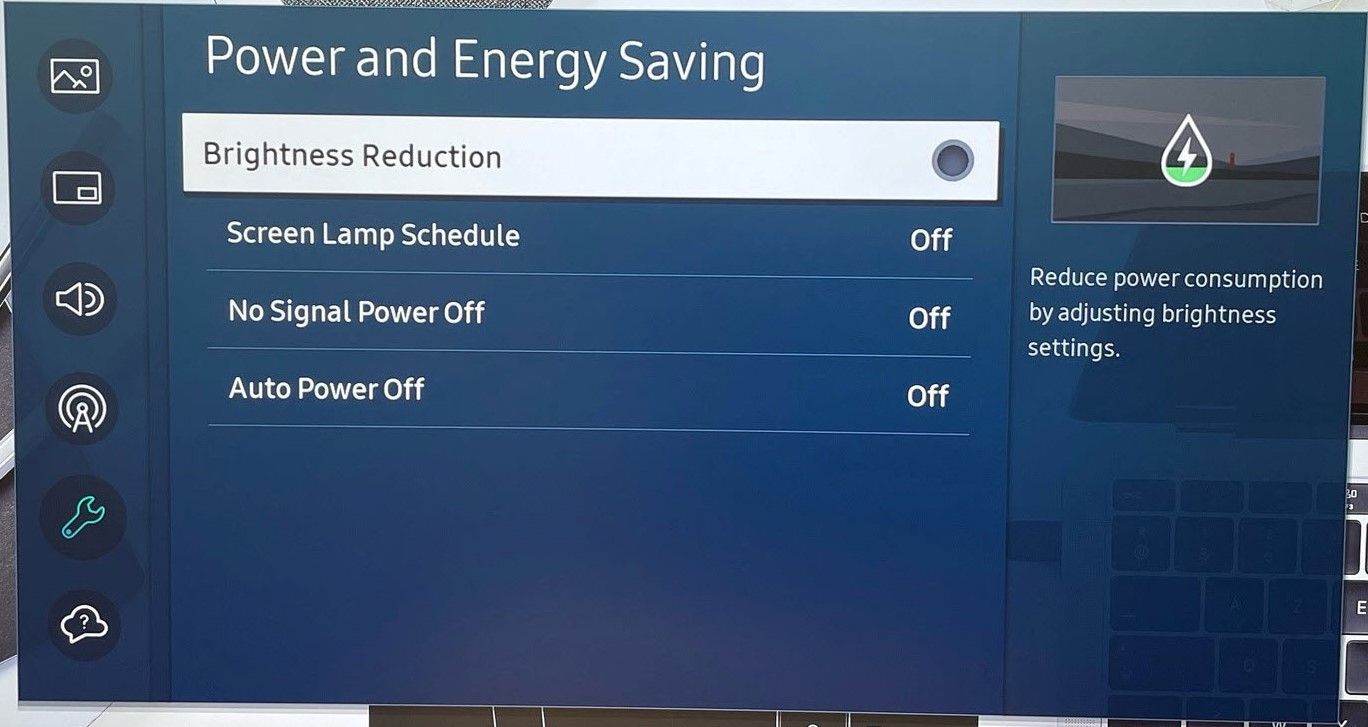
At Base Unit side disable the CEC setting in the ClickShare Configurator (how to: see KB4084).
Note: If the problem remains, please contact Barco with the necessary information mentioned in KB4672.

