
This functionality is only feasible with CSE-200(+)/800 devices and requires an iOS device that can simultaneously connect to both the mobile network (4G/5G) and the ClickShare device's local network. For other scenarios, it is recommended to use AirPlay sharing initiated from the device, as outlined in KB3061.
The procedure for using AirPlay from within the YouTube app is as follows:
- Connect to your ClickShare Base Unit Wi-Fi (how to: see KB2675).
- On your iOS device, open the YouTube app and open the video you want to share.
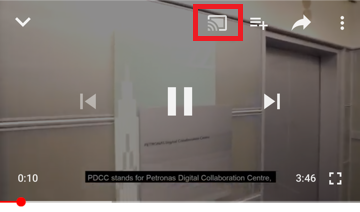
- Tap on the AirPlay button (which looks like a rectangle with a Wi-Fi icon) as indicated in the image below.
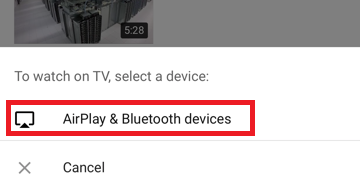
- At the bottom of the screen, tap AirPlay & Bluetooth devices.
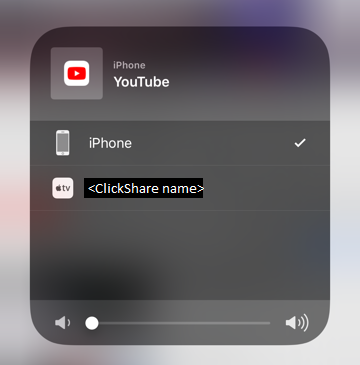
- Select your Clickshare Base Unit.
- YouTube content will be displayed on the meeting room display connected to the ClickShare Base Unit.