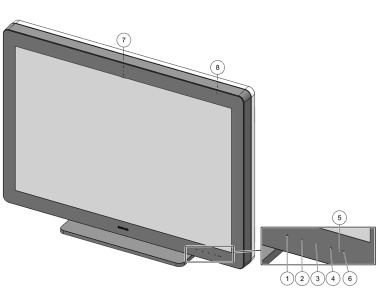
Front view

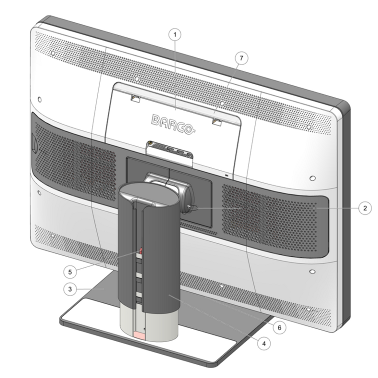

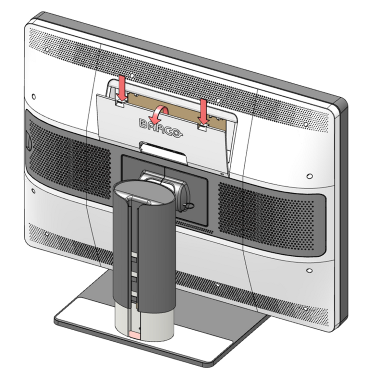
To access the rear connectors, gently push the two lips on the top of the cover then pull the top of the cover away from the display and remove it.
Following connectors are available:
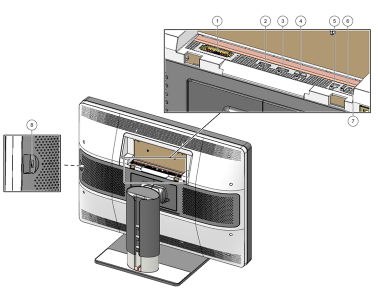
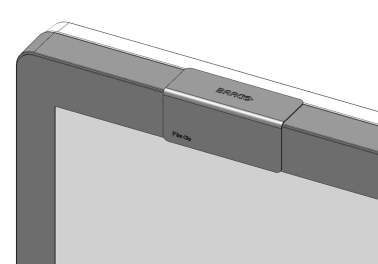
The film clip can be used to hold a radiological film when using the I-Luminate function as a light box. See “I-Luminate” and “I-Luminate default mode”.
The Barco Touchpad can control Barco’s Intuitive Workflow Tools and allows you to control diagnostic imaging and other viewing applications with configurable multi-touch gestures and touchpad function activation buttons. Using and configuring the Barco Touchpad requires Barco’s MXRT display controller and driver to be installed on your workstation.
For more information and installation instructions, please check the Barco “Display Controller and Intuitive Workflow Tools” user guide on the included documentation CD, or at www.barco.com/support.