
Overview
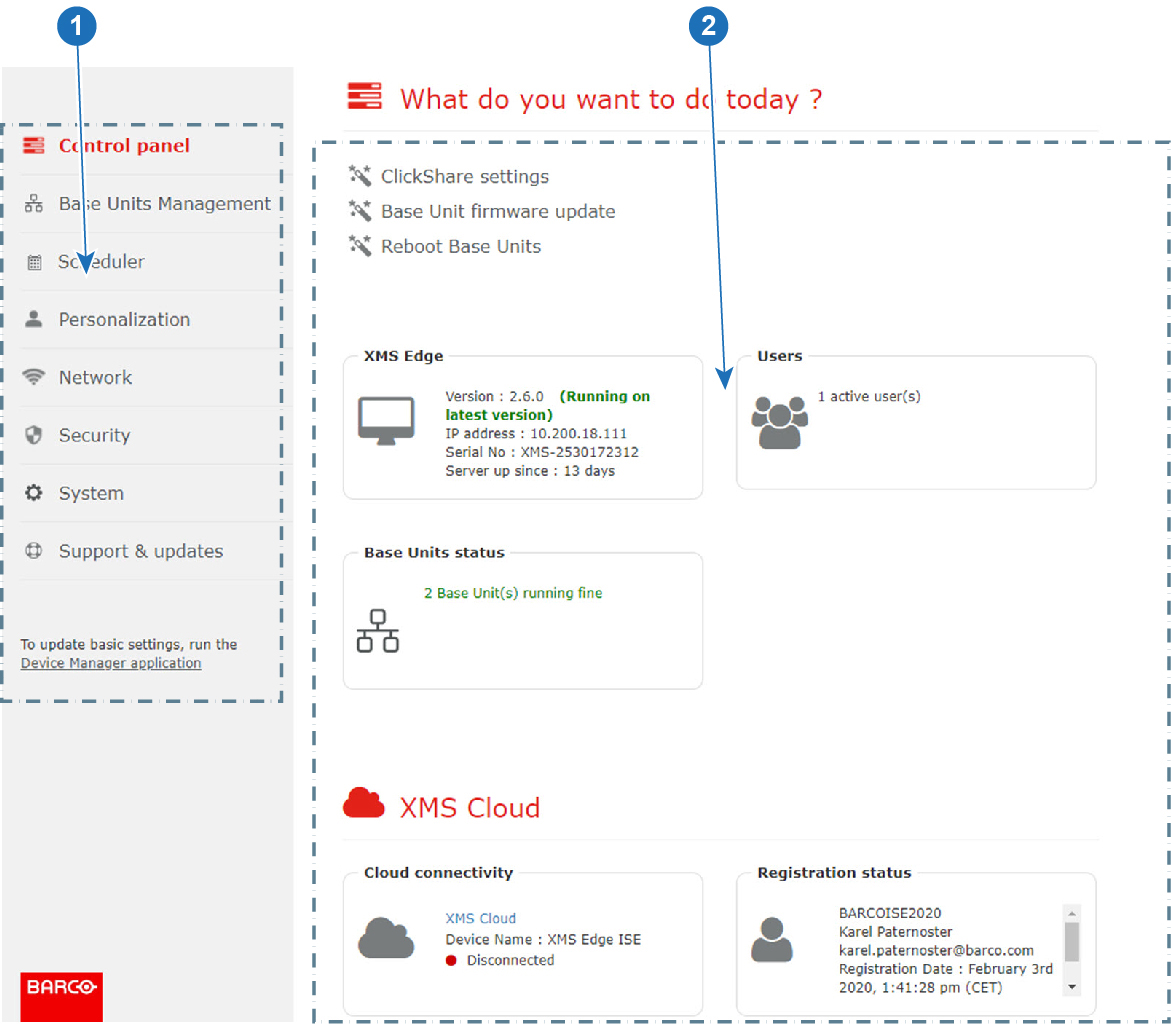
Note: the control panel might contain also some discovered devices.
| 1 | Menu pane. The following main menus are available:
|
| 2 | Overview and selection pane. |
Frequently used actions can be started from the control panel. When clicking on an action, you will be redirected to the corresponding page or step in a wizard.
The following items can be controlled or seen:
- ClickShare settings
- Base Unit firmware update
- Reboot Base Units
- XMS (virtual) Edge overview
- Users overview
- Base Unit statuses
- New Base Units discovered (only for ClickShare (CSE range) and ClickShare Conference)
- New firmware(s) available
- XMS Cloud Registration status
- Cloud connectivity
Explanation of wizards
- Base Unit status will guide you to a Base Units overview, see “Base Units page” to continue.
- Users will guide you to the users page. For more info, seeé“Users” to continue.
- New firmware will start the firmware wizard, see “Firmwares” to continue.
- Auto-discovered Base Units will guide you to the auto-discover wizard, see “Auto discovering of Base Units” to continue.
