General
The last card slot on an Event Master processor—for example, Slot #14 on an E2, or Slot #9 on an S3–4K—may be either a normal Output slot or a dedicated Multiviewer if the output card is either the HDMI 1.4 or HDMI 2.0 (version 7.0 and above) type. See the description of the Setup tab in “Configuration Menu > Adjustment > Unit Configuration” for instructions on how select this slot as either an Output slot or a Multiviewer slot.
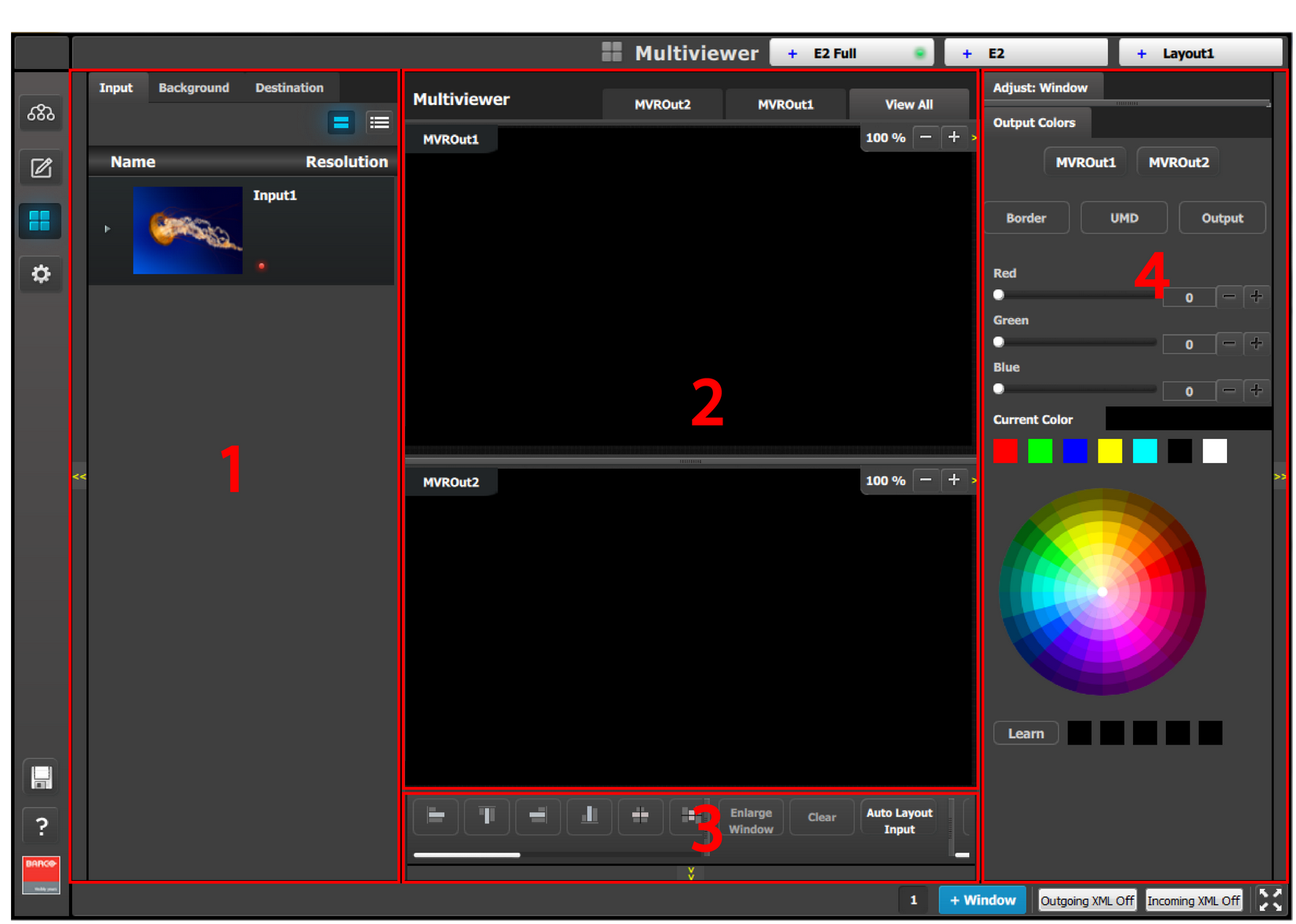
A Multiviewer enables multiple resources (Inputs, Backgrounds, Destinations) to be displayed on one or two monitors. Each resource can be used up to two times in any Multiviewer layout. The position of the window for each copy can be different, but the size of the window for each copy is always the same." Multiviewer Menu is the module used to setup the Multiviewer layouts.
 This menu is accessible by clicking the Multiviewer icon in the menu bar on the left side of the UI.