About device dashboard
When a device row is clicked in the dashboard (see chapter “Fleet view dashboard”), the is replaced by the device dashboard, which provides access to more detailed information about the selected device.

When a device row is clicked in the dashboard (see chapter “Fleet view dashboard”), the is replaced by the device dashboard, which provides access to more detailed information about the selected device.
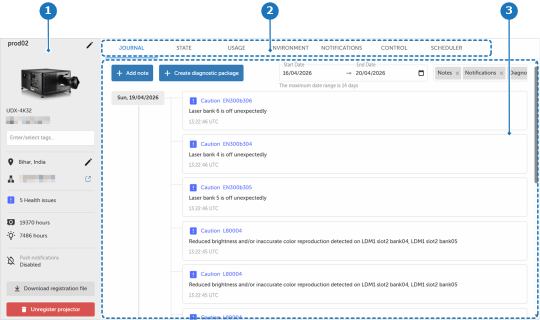
The device info panel is a fixed panel at the left side of the device dashboard. It shows similar info as the device row in the dashboard. For more info about the functionality of the info panel see chapter “Device info panel”.
Available tabs:
Depending on which device detail tab is active, the content displayed in this zone is updated accordingly.